
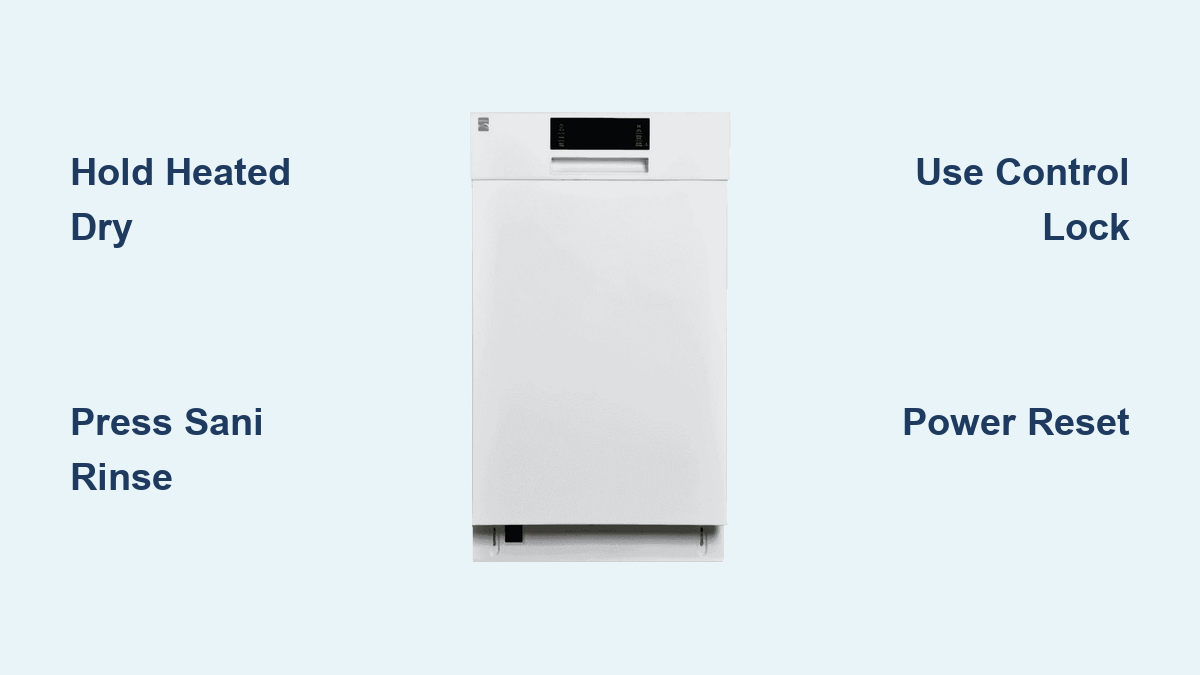
How to Unlock Kenmore Dishwasher – Quick Guide
Is your Kenmore dishwasher stuck in lock mode? You press buttons, but nothing happens. The control panel shows four quick flashes, and your appliance seems frozen. You are not alone. The Control Lock feature is a common safety mechanism on Kenmore dishwashers that prevents accidental changes during or after a wash cycle. But when it will not turn off, it can feel like your machine has locked you out permanently. The good news: unlocking it is usually simple, once you know which button to press and how long to hold it.
In this guide, you will learn exactly how to unlock your Kenmore dishwasher, no matter the model. We will cover every verified method, from the standard Control Lock button to lesser-known workarounds using Sani Rinse or Heated Dry. You will also discover how to troubleshoot when buttons do not respond, reset the control board, and determine when it is time to call a professional technician.
Identify Lock Mode on Your Kenmore Dishwasher
Before you try unlocking, confirm your dishwasher is actually locked. This prevents wasted effort on the wrong problem.
Signs Your Dishwasher Is Locked
The lock feature produces clear signals that you can identify immediately. Watch for these indicators on your control panel.
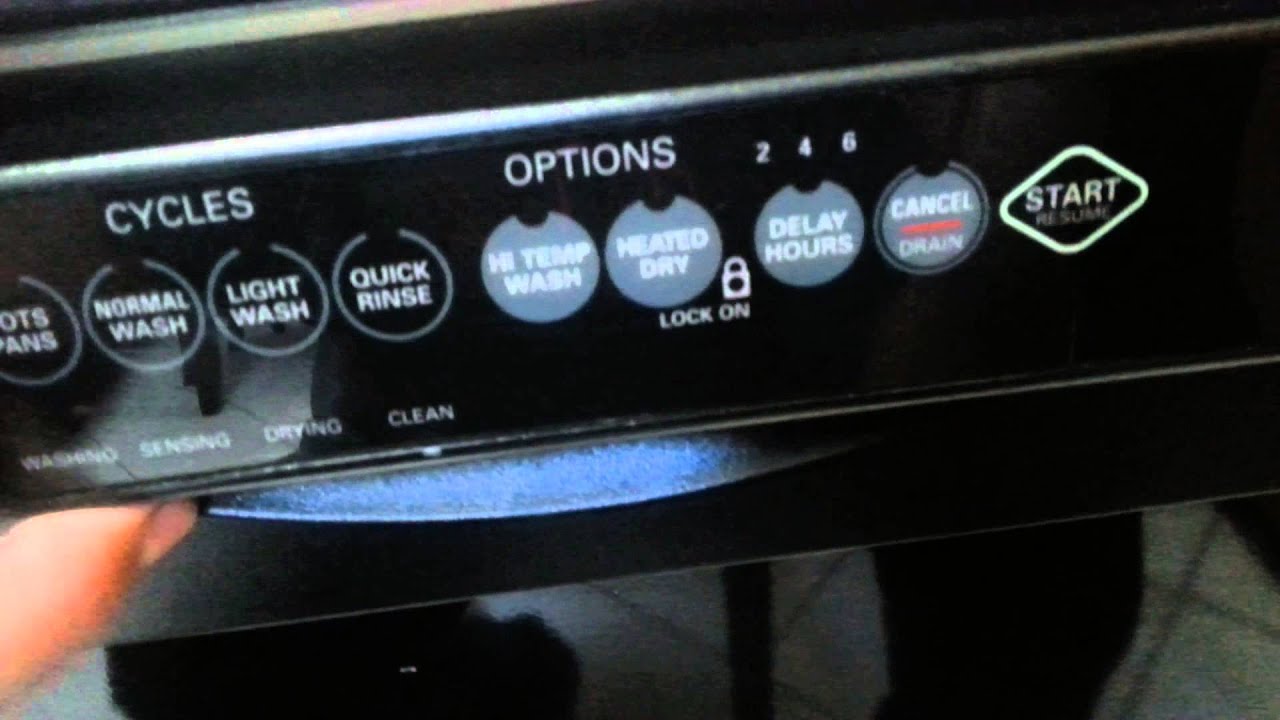
The control panel buttons do not respond when you press them. A lock symbol, “Locked” text, or illuminated padlock icon appears on the display. Pressing any button triggers exactly four rapid flashes before the command is ignored. The door opens freely, but no cycles can start or settings can change.
The lock feature only disables the controls. It does not stop the door from opening. If the machine is running a cycle, that cycle continues normally even when locked.
If your panel shows these signs, proceed to unlock. If there is no display at all and no lights appearing, skip ahead to the power reset procedure. You may have a deeper electrical issue that button presses cannot fix.
Unlock With the Control Lock Button
Most newer Kenmore dishwashers have a dedicated Control Lock button. This is the fastest method if your model supports it.
How to Unlock Using Control Lock
Locate the Control Lock button on your control panel. It is usually labeled or marked with a small padlock icon. Press and hold this button for exactly 3 seconds. Watch for the lock symbol to disappear from the display. You may hear a single beep, which confirms the unlock was successful. Test another button, such as Start or Cycle Select, to verify the panel is now responsive.
This method works on models with digital displays and clearly labeled controls, typically manufactured from 2015 onward. To re-enable the lock, simply hold the same button again for 3 seconds.
Use Heated Dry Button to Unlock

No Control Lock button? Try the Heated Dry button. This is the most widely used unlock method across Kenmore models, especially the Elite series.
How to Unlock Using Heated Dry
Find the Heated Dry button on your control panel. Press and hold this button for 3 to 4 seconds. Watch for the lock light to turn off, or listen for a single beep. Release the button once the lock indicator disappears. Confirm unlock by selecting a new cycle or pressing any other button.
This method is user-verified and works on Kenmore Elite and many standard models. Some older units use Air Dry instead of Heated Dry. The procedure is the same, but try Air Dry if Heated Dry does not work.
A solid light above the Heated Dry button often indicates the lock is active. If this light is on, the unlock method has worked when it turns off.
Try Sani Rinse for Specific Elite Models
Here is where things get tricky. Some Kenmore manuals are wrong. For Kenmore Elite model 665.14759N511, the official manual says to use Top Rack Only. But real users report this method does not work at all.
How to Unlock Model 665.14759N511
Press and hold the Sani Rinse button. Keep holding for 5 to 7 seconds, which is longer than most standard methods. Wait for a beep and the disappearance of the lock indicator. Release the button and test the panel to confirm it is now responsive.
Multiple users confirm this works, even when the manual method fails completely. The Top Rack Only button may cause the light to flicker, but it will not actually unlock the controls. One user reported trying the manual method three times with no result, then holding Sani Rinse for six seconds and having it beep and unlock instantly.
This highlights an important truth. User experience sometimes overrides official instructions. Always try multiple methods rather than giving up.
Find the Lock Icon on Touch Panels
Some Kenmore models hide the unlock function under a button with a printed lock symbol nearby. This is common on minimalist touchpad interfaces where labels are sparse.
How to Unlock Touch-Sensitive Panels
Look for a small lock icon printed near any button on your control panel. Common locations include near Rinse, Settings, Options, or Small Cycle buttons. Press and hold that button for 3 seconds. Watch for the lock symbol to vanish or listen for a beep to sound. Confirm unlock by pressing another key.
If you cannot find an obvious lock key, test each button systematically. Hold each button for at least 3 seconds and watch for feedback. Do not rush the process. Hold each button for a full 4 seconds before moving to the next.
Test Alternative Buttons If Standard Methods Fail
On older or basic Kenmore models, the unlock function may be tied to a non-obvious button. You may need to try several options before finding what works.
Buttons to Try Holding for 3 to 4 Seconds
Try holding these buttons one at a time if the standard methods fail.
Rinse button
Rinse Plus button
Air Dry button
Settings button
Small Cycle button
Watch for success signs while testing. The lock icon disappears. A beep sounds. Other buttons suddenly respond to your press.
A few users report that holding two buttons together works on rare units. For example, Heated Dry plus Rinse held simultaneously may unlock the panel. This is not officially supported, but it is worth trying if all single-button methods fail.
Verify Your Dishwasher Is Unlocked
After any unlock attempt, verify success using objective checks. Do not assume the lock is off just because the light changed.
Visual, Auditory, and Functional Confirmation
Use this checklist to confirm the unlock worked completely.
The lock symbol is gone from the display. The indicator light is off. You hear a single beep or chime when pressing a button. Other buttons respond normally, such as lighting up when pressed. You can successfully start a new wash cycle. The four-flash rejection pattern no longer occurs when you press buttons.
Always test functionality immediately after unlocking. Do not assume success based solely on the light turning off.
Troubleshooting Unresponsive Buttons
You press and hold, but nothing happens. No beep, no light change, no response. This is frustrating, but it is usually fixable.
Why Buttons Fail to Unlock
Several common issues cause unlock attempts to fail. The wrong button was used. Try Heated Dry or Sani Rinse instead of the button you initially selected. The press was too short. Hold the button for 3 to 7 seconds, not just 1 or 2 seconds. The panel is dirty or wet. Wipe the control panel with a dry microfiber cloth. A button is stuck. Gently press and release all keys to free any jammed pads.
Spills, steam, and grease buildup can interfere with touch sensors. Clean the panel weekly with a dry or slightly damp cloth. Never spray cleaner directly onto the control panel. Liquid can seep in and damage the electronics.
Kenmore touch panels are sensitive. Avoid using excessive force when pressing buttons. Pushing too hard can damage the sensors permanently.
Lock Light Turns Off Then Comes Back
You hold a button. The light goes out. But within seconds, it returns. This behavior is a red flag.
This means the command was not recognized. You are likely using the wrong button. For example, using Top Rack Only on model 665.14759N511 causes this exact behavior. It could also indicate a failing control board.
Try Sani Rinse or Heated Dry instead. Perform a power reset. If the lock keeps returning, professional service may be needed.
Button Flashes More Than Four Times
Normal behavior is exactly four flashes when the control is locked and you press a button. Abnormal behavior is continuous or repeated flashing.
This indicates a stuck or jammed button. Debris, moisture, or physical damage under the pad is likely the cause.
Gently press and release all buttons to free any that are stuck. Inspect for visible residue, spills, or damage. Clean around the buttons with a dry microfiber cloth. Never use liquids when cleaning near buttons. Moisture can short the circuit.
Shine a flashlight at an angle to spot grime under the buttons that you cannot see otherwise.
Reset the Control Board When Nothing Works
If all unlock methods fail, perform a power reset. This clears software glitches and may exit lock mode automatically.
Power Reset Procedure
Turn off power at the circuit breaker. Do not rely on the dishwasher power button, wall switch, or GFCI outlet. Dishwashers often stay energized even when appearing to be off. Wait 5 to 10 minutes. This ensures the control board fully discharges. Shorter waits may not fully reset the electronics. Restore power at the breaker. Wait 10 to 30 seconds for the display to initialize. Try unlocking again using Heated Dry held for 4 seconds.
This method clears temporary software faults and resets the electronic control board. One owner fixed a frozen lock state after a 5-minute power cycle. Use the breaker, not just unplugging. The dishwasher must be disconnected from power completely for the reset to work.
Signs of Control Board Failure
When nothing works, not buttons and not resets, it is likely a hardware issue. The control board has failed.
Symptoms of a Faulty Control Board
The lock symbol persists and cannot be cleared by any method. There is no display, no lights, and no response to any button. Beeping patterns or error codes appear unrelated to the lock function. Intermittent lock behavior occurs. It works one day and fails the next. Unlock success is followed by immediate re-lock every single time.
If all user fixes fail, control board failure is probable. Do not attempt internal repairs. The control board is high-voltage and sealed. Tampering risks injury, water damage, or voiding your warranty.
Contact a Kenmore-authorized technician for diagnosis and replacement. Use Sears Parts Direct or Kenmore support to find a certified professional.
When to Call a Professional Technician
Some situations require professional help. Do not attempt DIY repairs in these cases.
No buttons respond, even after a power reset. The display is blank or frozen. The lock returns immediately after unlocking. Error codes appear, such as unusual flashing lights or beeping patterns.
Use Sears Parts Direct or Kenmore support to find a certified technician. Professional service ensures the repair is done safely and preserves your warranty.
Key Takeaways for Unlocking Your Kenmore Dishwasher
Unlocking a Kenmore dishwasher is usually quick, once you know the right method. Most models respond to Control Lock button held for 3 seconds, Heated Dry held for 3 to 4 seconds, or Sani Rinse held for 5 to 7 seconds on problematic Elite units like model 665.14759N511.
Do not rely solely on the manual. Official instructions can be wrong, as demonstrated by the Top Rack Only method that does not work on many Elite models.
When standard methods fail, clean the panel first. Try alternative buttons. Perform a 5 to 10 minute power reset using the circuit breaker. If the dishwasher remains unresponsive, call a professional technician.
Frequently Asked Questions About Unlocking Kenmore Dishwashers
How do I unlock my Kenmore dishwasher without the manual?
Most Kenmore dishwashers unlock by holding the Heated Dry button for 3 to 4 seconds. If that does not work, try holding the Control Lock button for 3 seconds, or the Sani Rinse button for 5 to 7 seconds on Elite models.
Why does my Kenmore dishwasher flash four times when I press buttons?
Four rapid flashes indicate the Control Lock is active. The controls are locked and will not respond until you unlock the dishwasher using the appropriate button sequence.
Can I open a locked Kenmore dishwasher door?
Yes. The lock feature only disables the control panel. The door can still be opened manually. If the dishwasher is running a cycle, that cycle will continue normally even with the controls locked.
What if nothing works to unlock my dishwasher?
If all unlock methods fail, perform a 5 to 10 minute power reset using the circuit breaker. If the problem persists after resetting, the control board likely needs professional replacement.
Does the Kenmore Elite model 665.14759N511 have a special unlock method?
Yes. Despite what the manual says, the Sani Rinse button held for 5 to 7 seconds unlocks this model. The manual-recommended Top Rack Only method does not work on this specific model.





