Whirlpool Dishwasher Blinking Lights Solved
You are ready to run a load, press Start, and suddenly the lights on your Whirlpool dishwasher start flashing. No cycle begins. No error message appears. Just erratic blinking that leaves you wondering: Is it broken? Is it safe? What do these lights mean?
The good news is that Whirlpool dishwasher blinking lights are rarely random. They are signals, some harmless and some serious, telling you exactly what is wrong. Whether it is a simple door-latch issue or a failing control board, understanding the pattern is the first step to fixing it fast.
In this guide, we will decode every common light behavior on Whirlpool dishwashers. You will learn how to diagnose flashing Clean lights, rapidly blinking option buttons, and unresponsive control panels, and fix them without calling a technician in most cases. From quick resets to part replacements, we cover it all using verified, model-specific troubleshooting steps.
Decode Flashing Light Patterns
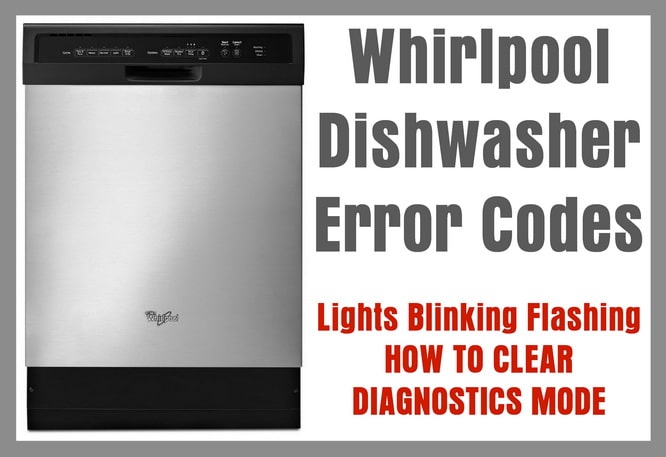
Whirlpool dishwashers use blinking lights as a communication tool. Each pattern points to a specific condition, some normal and others urgent. The key is knowing what the pattern means before taking action.
Identify the Light Behavior
Not all flashing lights are errors. Start by answering these questions to narrow down the cause fast.
Which lights are flashing?
Is the flash rapid or slow?
Are any lights solid while others blink?
Did the cycle start, then stop?
Common Flashing Light Meanings
Use this table to skip guesswork and move straight to the appropriate fix.
| Flash Pattern | Likely Cause |
|---|---|
| Start/Resume light flashing | Door opened mid-cycle or not latched properly |
| All lights blinking together | Cycle suspended, door likely opened during operation |
| Clean light flashing in sequence | Internal error code (F-E code) |
| Pot/Pan and Heat Dry lights flashing rapidly | Control panel short circuit (DU1055XTSS3 model) |
| Random blinking, unresponsive buttons | Faulty control board |
Fix Start/Resume Light Flashing
If the Start/Resume light blinks, the dishwasher detected a cycle interruption, usually from an open door or power loss.
Door Opened Mid-Cycle
When the door is opened during a wash, Whirlpool models pause the cycle. The Start/Resume light flashes to prompt you to close it.
To fix this issue, follow these steps:
- Firmly close the door.
- Wait up to 3 seconds. The cycle should resume automatically.
- If it does not, press Start/Resume again.
Do not hold the door open for more than a few seconds. Some models cancel the cycle entirely if the door stays open too long.
Power Interruption Recovery
A power flicker or tripped breaker can cause the Start/Resume light to flash when power returns.
To recover from a power interruption, perform a 30-second power reset. Close the door and restart the cycle. This often clears the blink and restores normal operation.
Cancel Delay Start Blinking
Blinking lights during Delay Start mode are normal but are often mistaken for errors.
Delay Wash Feature Active
When Delay Wash is selected, lights may flash to show the countdown until the cycle begins. This is not a malfunction.
To confirm this is happening, check the display for remaining time or look for a Delay or Hourglass icon.
Stop Delayed Cycle
If you want to start immediately, follow these steps:
- Press CANCEL/DRAIN.
- Wait for draining to finish, which takes 2 to 3 minutes.
- Select a new cycle.
- Press START/RESUME.
The blinking stops and the dishwasher runs right away. No reset is needed for this normal behavior.
Diagnose Flashing Clean Light Error Codes
A flashing Clean light is Whirlpool’s built-in diagnostic tool. It communicates internal faults using a two-part flash sequence, and no tools are required.
How to Read the Clean Light Code
Follow these steps to read the error code:
- Press and hold HEAT DRY and NORMAL for 3 seconds.
- Release and watch the Clean light.
- It will flash in a repeating pattern. First, count the rapid flashes to get the Function (F) number. Then observe a short pause of 1 to 2 seconds. Next, count the second set of flashes to get the Error (E) number. Finally, watch for a long pause of about 5 seconds before the sequence repeats.
For example, 7 flashes followed by a pause and then 1 flash indicates an F7-E1 error code. This code signals a communication failure between the control board and a component such as a sensor or heater.
Next Steps After Reading Code
The F-E codes indicate internal system faults. Common triggers include heating element failure, thermistor issues, or control board glitches. If you see these codes, perform a reset. If the code returns, further diagnosis is needed.
Reset the Control Board
A power reset clears temporary glitches and is the number one fix for blinking lights.
Standard 30-Second Reset
This works on most Whirlpool models:
- Unplug the dishwasher or turn off the circuit breaker.
- Wait 30 seconds. This is critical for memory reset.
- Restore power.
- Open and close the door.
- Start a new cycle.
Most flashing light issues resolve at this stage.
Extended 10-Minute Reset
If lights return, try a longer reset, especially for models like DU1055XTSS3 with suspected control board shorts.
- Turn off power at the breaker.
- Wait 10 minutes.
- Restore power.
- Test the dishwasher.
This allows capacitors to fully discharge, clearing stubborn electrical faults. This method has a high success rate for transient errors and false alarms.
Fix Rapid Flashing on DU1055XTSS3
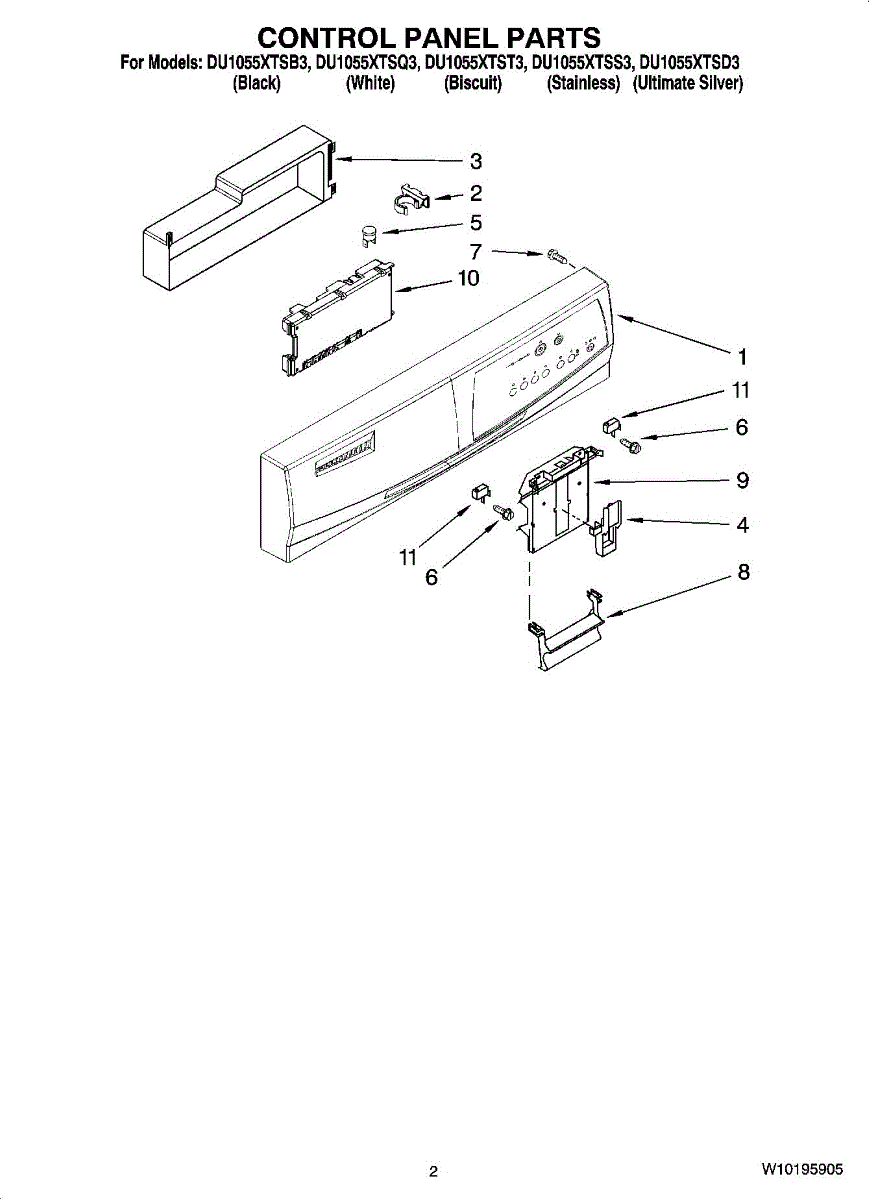
Model DU1055XTSS3 users report a specific issue involving Pot/Pan and Heat Dry lights.
Symptoms
The following symptoms indicate this particular problem:
Pot/Pan light blinks rapidly
Heat Dry light stays on (solid)
Delay Start does not work
Cycle starts and cancels randomly
Features become unresponsive
Diagnosis: Control Panel Short Circuit
This pattern indicates a short circuit in the control panel, not a sensor or wiring issue. This is confirmed when there is no improvement after a power reset and the issue persists after extended disconnection.
Solution: Replace Control Panel
To fix this issue, order replacement part WPW10021710, which is the Whirlpool control board. The part costs approximately $175 for DIY replacement or about $350 with professional installation.
To replace the control panel, follow these steps:
- Turn off power at the breaker.
- Remove the inner door panel (screws at bottom).
- Disconnect wire harnesses from the old control board.
- Swap in the new board.
- Reassemble and restore power.
This repair takes 20 to 30 minutes with a screwdriver and is DIY-friendly.
Repair vs. Replace Decision
Consider replacing the entire unit if your dishwasher is over 7 years old, has other issues like leaks or poor cleaning, or the cost of repair exceeds $300. New models offer better efficiency and reliability.
Troubleshoot WFE 2B19 Flashing Lights
Model WFE 2B19 blinking lights are often caused by water supply issues rather than electronic faults.
Common Causes
The following issues commonly cause blinking lights on this model:
Water tap not fully open
Inlet hose bent or kinked
Clogged inlet sieve
These restrict water flow, causing the control system to pause or blink.
Fix Water Flow Problems
To fix water flow problems, follow these steps:
- Check the water valve. Ensure it is fully open, then turn off and back on to reset.
- Inspect the inlet hose. Look for bends under the sink and straighten any kinks.
- Clean the inlet sieve. Shut off the water supply, disconnect the inlet hose from the dishwasher, remove and rinse the mesh filter inside the hose fitting, then reconnect and restore water.
- Reset the dishwasher. Turn it off, power back on, and select a new cycle.
This soft reset clears flow-related errors in most cases. Clean the inlet sieve every 3 months to prevent recurring issues.
Handle Random or All Lights Flashing
When multiple lights blink erratically or the panel seems unresponsive, the issue is likely electrical.
Possible Causes
Several electrical issues can cause this behavior:
Control board failure
Moisture in the control panel
Power surge damage
Short circuit in wiring
Diagnostic Steps
To diagnose the problem, follow these steps:
- Perform a 10-minute power reset.
- After the reset, check if lights behave normally.
- If flashing returns immediately, unplug and inspect wiring behind the door. Look for burn marks, melted insulation, or corrosion.
- Test continuity with a multimeter if you have the skill.
Final Fix: Replace Control Board
If no physical damage is found but blinking persists, the control board is faulty. Replacement part WPW10021710 fits multiple models and is available at major appliance parts retailers. It includes full user interface and control functions.
Take a photo of the wiring before disconnecting to ensure correct reconnection.
Prevent Future Blinking Light Issues
Avoid repeat problems with these simple maintenance habits.
Clean Inlet Sieve Regularly
This blocks debris from entering the pump and prevents low-water errors that trigger blinking. Clean the inlet sieve every 3 months.
Avoid Mid-Cycle Door Opening
Opening the door interrupts the cycle, and frequent interruptions stress the control system. Wait 2 minutes after the cycle ends before unloading.
Ensure Stable Power Supply
Use a dedicated 120V circuit. Avoid sharing with garbage disposals or microwaves. Surge protectors for plug-in models reduce the risk of voltage spikes.
Update Firmware
Some newer Whirlpool dishwashers support firmware updates. Check the Whirlpool app or website using your model number.
When to Call a Technician
Most blinking light issues can be fixed at home. But call a professional if the control board replacement does not fix the issue, error codes persist after multiple resets, you see signs of water damage or a burning smell, or the dishwasher will not power on at all.
To contact Whirlpool support, call 1-866-698-2538. Live chat and email are also available on Whirlpool.com. Have your model number ready when scheduling service online.
Final Checklist: Fix Blinking Lights Fast
Use this checklist to quickly resolve blinking light issues:
Observe the pattern. Which lights flash and how fast?
Check for Delay Start and cancel if not needed.
Close the door firmly to resume suspended cycles.
Perform a 30-second reset by unplugging or flipping the breaker.
Clean the inlet sieve to prevent flow-related errors.
Decode Clean light flashes to identify F-E error codes.
Replace the control board if needed using part WPW10021710.
Weigh repair vs. replacement, especially for older units.
Frequently Asked Questions About Whirlpool Dishwasher Blinking Lights
Why does my Whirlpool dishwasher Start light keep blinking?
The Start/Resume light blinks when the door was opened during a cycle or a power interruption occurred. Close the door firmly and press Start/Resume again, or perform a 30-second power reset.
What does it mean when the Clean light flashes on my Whirlpool dishwasher?
A flashing Clean light indicates an internal error code. Press and hold HEAT DRY and NORMAL for 3 seconds to enter diagnostic mode. Count the flashes to decode the F-E number, which indicates a specific fault like a heating element or sensor issue.
How do I fix rapid blinking on my Whirlpool dishwasher model DU1055XTSS3?
Rapid blinking of the Pot/Pan and Heat Dry lights with Heat Dry staying solid indicates a control panel short circuit. Try a 10-minute power reset first. If the issue persists, replace the control board using part WPW10021710.
Can I fix Whirlpool dishwasher blinking lights myself?
Yes, most blinking light issues can be fixed at home. Start with a 30-second power reset. Check for door latch issues, clean the inlet sieve, and decode any error codes. Control board replacement is DIY-friendly and takes 20 to 30 minutes.
How often should I clean the inlet sieve on my Whirlpool dishwasher?
Clean the inlet sieve every 3 months to prevent water flow restrictions that can cause blinking lights and error codes. This simple maintenance prevents most supply-related issues.
Key Takeaways for Fixing Whirlpool Dishwasher Blinking Lights
Whirlpool dishwasher blinking lights are not a mystery. With the right knowledge, you can diagnose and fix most issues in under an hour, saving time, money, and stress.
The most common causes of blinking lights are simple issues that you can address first. Door latch problems and power interruptions trigger the Start/Resume light to flash, and these are resolved by closing the door firmly or performing a 30-second reset. Delay Start activation also causes normal blinking, which you can cancel with the CANCEL/DRAIN button.
For persistent issues, the Clean light flash code system helps identify internal faults. A flashing Clean light in a specific pattern indicates an F-E error code that points to heating element problems, sensor failures, or control board issues. The 10-minute power reset clears most transient electrical glitches.
When blinking persists after resets, model DU1055XTSS3 often requires control board replacement using part WPW10021710. This DIY repair costs approximately $175 and takes 20 to 30 minutes. For older units over 7 years old with multiple issues, replacing the entire dishwasher may be more cost-effective than continued repairs.
Regular maintenance prevents future problems. Clean the inlet sieve every 3 months, avoid opening the door mid-cycle, and ensure stable power supply to keep your Whirlpool dishwasher running smoothly for years to come.