
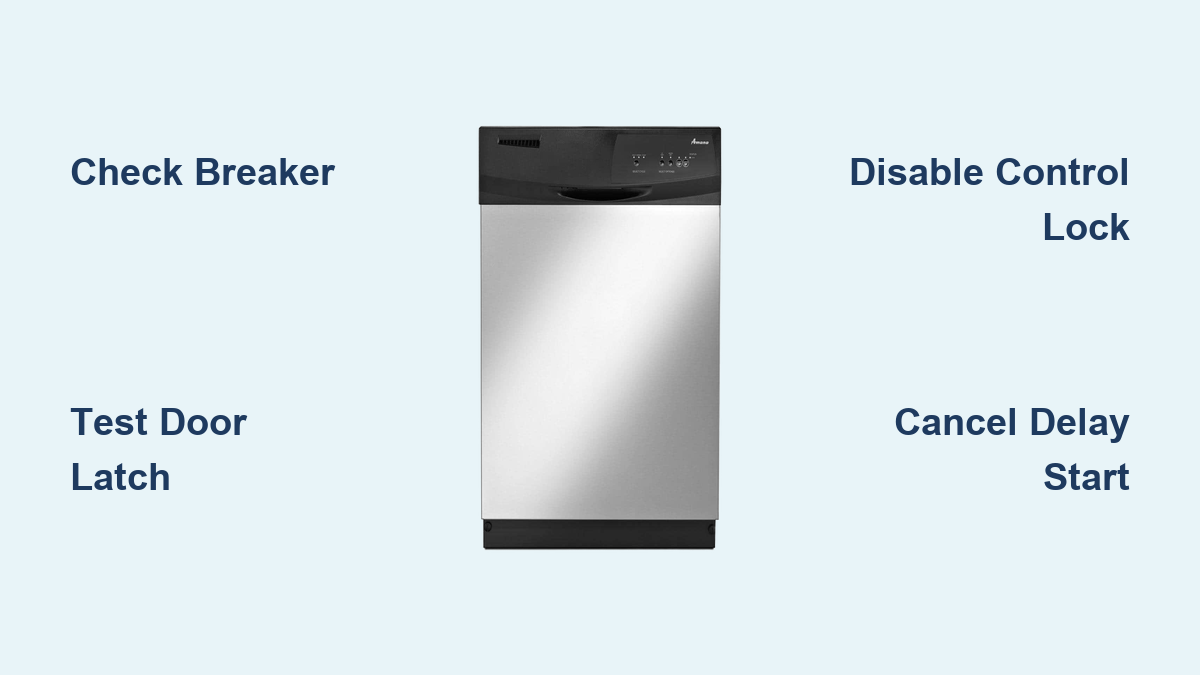
How to Fix Amana Dishwasher Not Turning On
Your Amana dishwasher won’t turn on. You press Start, and nothing happens. No lights, no beep, no response. It’s frustrating, especially when you need clean dishes for dinner. But this is one of the most common appliance problems, and the fix is often simple. Whether it’s a tripped breaker, a misaligned door latch, or a hidden control lock, you can diagnose the cause in under 30 minutes with basic tools.
This guide walks you through every verified troubleshooting step for Amana dishwashers, including the popular ADB1400AGS3 model. You’ll learn how to test power supply, bypass false alarms like Delay Start, and inspect critical components like the thermal fuse and control board. No guesswork, just clear steps backed by real diagnostics.
Confirm Power to the Unit
Before removing panels or replacing parts, verify your dishwasher is actually receiving power. Many “no start” issues trace back to simple electrical problems that take minutes to check.
Check Circuit Breaker and GFCI Outlets
Go to your home’s electrical panel and locate the kitchen or dishwasher breaker. If it’s tripped (middle position or fully off), switch it completely OFF, then back ON. Amana dishwashers draw 10A and require a dedicated 15-amp circuit. Shared circuits with garbage disposals can overload and trip.
Test nearby GFCI outlets under the sink or on countertops. Press RESET even if the indicator light is off. Some models trip silently. Amana units are particularly sensitive to GFCI false trips, so avoid GFCI circuits unless required by your local code.
Test Outlet Voltage for Plug-In Models
If your model plugs in under the sink, carefully pull it out and use a non-contact voltage tester or multimeter to confirm 120V at the outlet. A reading below 110V may prevent the control board from initializing. Also check that the plug is fully seated in the outlet. Loose connections mimic power failure.
Inspect Terminal Block on Hardwired Units
For hardwired models, power connects through a junction box behind the kickplate. Turn off power at the breaker first. Remove the lower front panel and check for loose, burned, or corroded wires. Retighten any loose connections. Burn marks suggest a short circuit or failing component.
If the breaker trips again after reset, there’s likely an internal short in the motor, control board, or wiring.
Test Door Latch and Switch

A faulty door latch is a leading cause of no-power symptoms, even when the door appears closed. The dishwasher won’t start unless it detects a secure closure through the latch switch.
Verify Proper Door Closure
Close the door firmly. You should hear a distinct click. Common obstructions include lower rack installed backward (protrudes into latch path), food debris or detergent gunk on the gasket, and misaligned door from slamming. Clean the latch area with a damp cloth and inspect for visible damage.
Diagnose Latch Switch with Multimeter
Unplug the dishwasher or turn off the breaker. Remove the inner door panel using Phillips screws. Locate the latch assembly at the top center of the door. Disconnect the switch wiring and set your multimeter to continuity mode (Rx1).
Test the switch. It should show no continuity when open and continuity (0 ohms) when pressed closed. If there’s no continuity when the door is closed, the switch is faulty. Note that Amana rarely sells individual switches. You’ll need to replace the entire latch assembly.
Disable Control Lock Feature
Many users mistake the Control Lock for a complete malfunction. This feature disables all buttons and makes the panel appear completely dead.
Identify Lock Mode
Look for a lock icon on the display. Pressing any button may cause three quick flashes. The panel feels unresponsive, mimicking a dead unit.
Unlock the Panel
On most Amana models including ADB1400AGS3, press and hold “Heated Dry” for 3 to 5 seconds. The lock icon will turn off. Try starting a cycle immediately after. Some models use “Options” instead. Consult your manual if the first method fails.
Cancel Delay Start Mode
Your dishwasher might appear off because it’s actually in delayed start mode. This is more common than you might think.
Recognize the Countdown
The display shows 2H, 4H, or 8H indicating hours remaining before the cycle begins. No wash cycle begins until the countdown ends. This is normal operation, not a fault.
Cancel the Delay
Press the CANCEL/DRAIN button. The unit drains any water and powers down. Select a new cycle and press Start. Over 30% of not turning on cases are actually Delay Start confusion.
Perform a Full System Reset
A reset clears electronic glitches and refreshes the control board. This is one of the most effective troubleshooting steps.
Standard Reset Procedure
Press CANCEL/DRAIN to stop any active function. Unplug the unit or turn off the circuit breaker. Wait 5 minutes to ensure full capacitor discharge. Restore power and wait 10 to 30 seconds for control initialization. Select a cycle and start.
Use the full 5-minute wait. Shorter resets often fail to clear persistent lockups.
Model-Specific Reset
On some Amana units, press and hold “High Temp Wash” plus “Cancel” simultaneously for 3 seconds. This forces a control reboot. Check your model’s manual for exact steps.
Inspect Water Supply Valve
No water means no startup. The pressure switch may block initiation if it doesn’t detect a fill signal.
Locate and Open the Valve
Find the under-sink shutoff valve connected to the dishwasher line. Ensure the handle is parallel to the pipe, which indicates fully open. A partially closed valve may allow a drip but not enough water flow to trigger the sensor.
Listen for Fill Sounds
Start a cycle and listen carefully. Humming or water flow sounds indicate the valve is working. Silence suggests a closed valve, clogged inlet screen, or failed solenoid. Clean the inlet screen quarterly to prevent sediment buildup.
Test the Thermal Fuse
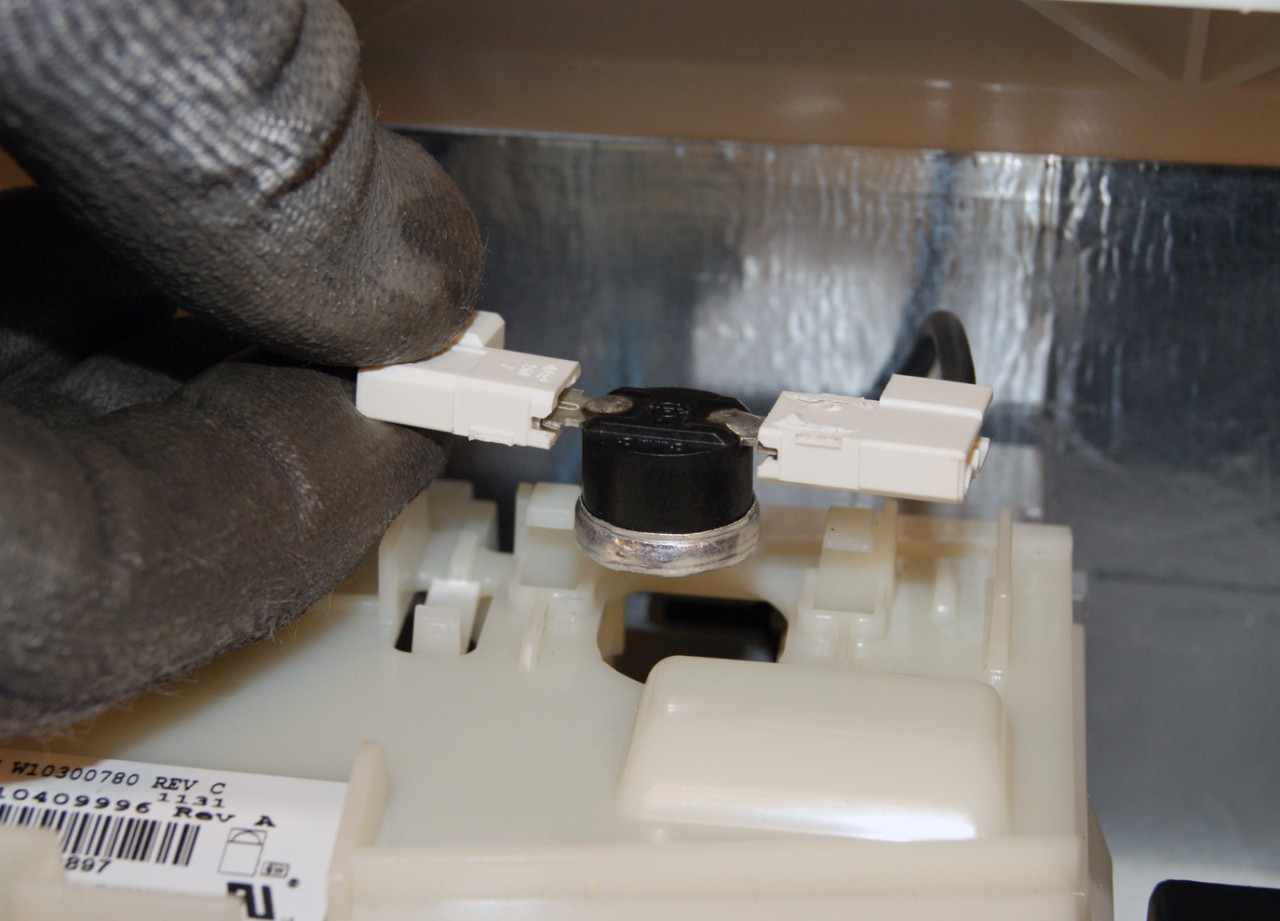
A blown thermal fuse kills all power to the control board. This is common after moisture exposure or power surges.
Locate the Fuse
The thermal fuse is found on or near the control board inside the door. It’s a small white or ceramic cylinder with two wires connected to it.
Test with Multimeter
Disconnect both leads from the fuse. Set your multimeter to continuity mode. Touch probes to each end of the fuse. A reading of 0 ohms means the fuse is good. Infinite resistance indicates a blown fuse.
A blown fuse often points to a deeper issue. Check for moisture, poor ventilation, or power surges before replacing the fuse.
Diagnose Control Board Failure
If power is confirmed but the display stays blank, the main control board (PCB) may be dead.
Signs of Failure
No lights, no response, even after reset attempts. You might notice a burnt smell or see charred traces on the board. Swollen capacitors or discoloration are clear warning signs.
Test Inputs and Outputs
Confirm 120V input reaches the board. Check for output signals to the motor and valves using a service manual and logic probe. If input is good but no output exists, the board is faulty.
Replacement boards cost $80 to $150 for the part. Labor adds $100 or more. Consider replacement if the unit is over 8 years old.
When to Repair or Replace
Sometimes professional repair makes sense. Other times, replacement is the smarter choice.
Average Repair Costs
Control board replacement runs $200 to $350. Door latch assemblies cost $120 to $200. Inlet valves are $100 to $180. Motor or pump assembly replacement ranges from $250 to $400.
Replacement Guidelines
Amana dishwashers last 9 to 12 years on average. New unit costs range from $500 to $900. Replace if repair costs exceed 50% of replacement value, the unit is over 8 to 10 years old, multiple components are failing, or parts are no longer available.
Amana offers 1-year parts and labor coverage. Tub and liner are covered for 10 years. Always check your proof of purchase.
Key Takeaways for Fixing Your Amana Dishwasher
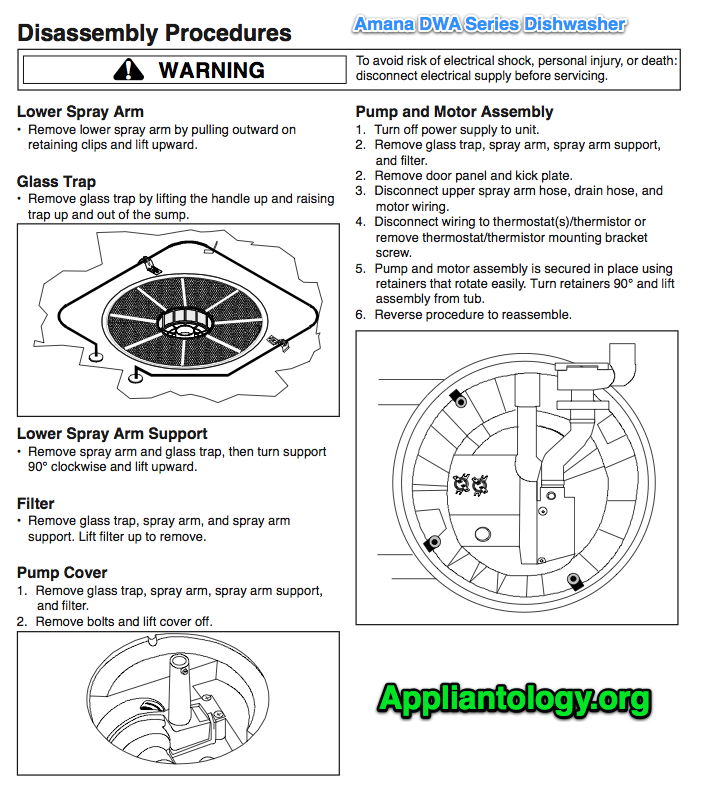
An Amana dishwasher not turning on is rarely a mystery. Most issues stem from three sources: power delivery problems (breaker, GFCI, outlet), door safety switches (latch not engaging, switch failure), and user-mode errors (Control Lock active, Delay Start set). You can diagnose and fix the problem safely by starting with these simple checks.
Begin every troubleshooting session with power verification. Check the breaker, test the outlet, and reset any GFCI outlets. Then confirm the door is fully closed and latched. Disable Control Lock and cancel Delay Start before moving to advanced diagnostics.
If basic checks fail, suspect the thermal fuse or control board. These components require multimeter testing and careful replacement. With routine care, including monthly seal cleaning, quarterly inlet screen cleaning, and annual electrical inspections, your Amana dishwasher can run reliably for years.
Frequently Asked Questions About Amana Dishwashers Not Turning On
Why is my Amana dishwasher completely dead with no lights?
Start by checking the circuit breaker and GFCI outlets. A tripped breaker or GFCI is the most common cause of complete power loss. If those are fine, test the thermal fuse inside the door. A blown fuse will kill all power to the control board.
How do I reset my Amana dishwasher that won’t start?
Press CANCEL/DRAIN to stop any function. Unplug the dishwasher or turn off the circuit breaker. Wait 5 minutes for full capacitor discharge. Restore power, wait 10 to 30 seconds, then select a cycle and press Start.
Can a door latch cause my dishwasher to not turn on?
Yes. The door latch contains a safety switch that must close for the dishwasher to start. If the latch is damaged, worn, or obstructed, the switch won’t close and the unit appears dead. Test with a multimeter or simply ensure the door clicks firmly shut.
Is it worth repairing a 10-year-old Amana dishwasher?
Generally no. If your dishwasher is over 8 to 10 years old and the repair cost exceeds 50% of replacement value, consider buying a new unit. Most dishwashers last 9 to 12 years, so you’re approaching the end of typical lifespan anyway.
What does it mean if the control lock light is flashing?
A flashing lock light means the Control Lock feature is active. This disables all buttons to prevent accidental activation. Press and hold “Heated Dry” for 3 to 5 seconds to unlock the panel.





