
How to Reset Dishwasher: Quick Steps
Your dishwasher stops mid-cycle, displays a blinking light, or refuses to start entirely. This happens to thousands of homeowners daily, and the solution is often simpler than you think. Resetting a dishwasher clears error codes, cancels wrong cycles, and restores normal operation without calling a technician. This guide walks you through every reset method, from simple button presses to brand-specific diagnostics.
You’ll learn how to perform soft resets, hard resets, network resets, and diagnostic mode resets. Each section covers the exact buttons to press, how long to hold them, and what to expect afterward. Whether you own a Bosch, Samsung, GE, Whirlpool, or KitchenAid, you’ll find the exact steps you need.
When to Reset Your Dishwasher
A dishwasher reset solves several common problems. Knowing when to reset saves time and prevents unnecessary service calls.
Cancel a Wrong Cycle Accidentally
You started a heavy wash but needed eco mode, or you set a delay start by mistake. A reset cancels the current cycle immediately and lets you reprogram without mess. Most dishwashers drain automatically after reset, so you won’t deal with water spillage.
Fix Unresponsive Controls
Buttons don’t light up, the display is frozen, or lights blink erratically. These symptoms often indicate a software glitch, not hardware failure. A reset reboots the control board and restores normal function.
Clear Persistent Error Codes
Error codes like E15 (Samsung), SE, or OE may linger even after you’ve tried troubleshooting. A proper reset clears stored error memory, but only if you’ve already fixed the underlying issue like a clog or loose connection.
Restart After Power Surge
Voltage spikes can lock up the control system. Cutting power completely and waiting allows internal circuits to fully reset. This is often more effective than a simple button press.
Resolve Standing Water Issues
If your dishwasher finishes a cycle but leaves water in the tub, a reset may trigger the drain pump. However, if the pump is clogged, the problem returns immediately after reset.
Soft Reset: Cancel and Restart
A soft reset uses the control panel to cancel the current cycle. This is the first method you should try for most issues.
Press and Hold Start or Cancel
Locate the Start, Cancel, or Reset button on your dishwasher’s front panel. Press and hold it for 3 to 6 seconds. Watch for these signs of success:
The display clears or flashes. You hear a beep sound. The drain pump runs if water is present in the tub.
This method cancels the current cycle and prepares the unit for a new one. It works on most brands including GE, Whirlpool, and many Bosch models.
Bosch: The 4-Second Reset
Bosch dishwashers often display “Reset 4 Sec.” on the control panel. Press and hold the Start/Reset button for exactly 4 seconds. The dishwasher drains and powers down. Wait 30 seconds, then select a new cycle.
Pro Tip: Holding the button for less than 4 seconds won’t trigger the reset on most Bosch units. Count slowly and be patient.
GE and Whirlpool: Start/Cancel Method
On standard GE and Whirlpool models, press and hold Start/Cancel for 3 seconds. The lights flash to confirm cancellation. Wait for the drain cycle to finish before selecting a new program.
Warning: Never force the door open mid-cycle unless you’re prepared for water spillage. Most modern units pause when opened, but won’t drain automatically.
Hard Reset: Power Cycle the Dishwasher
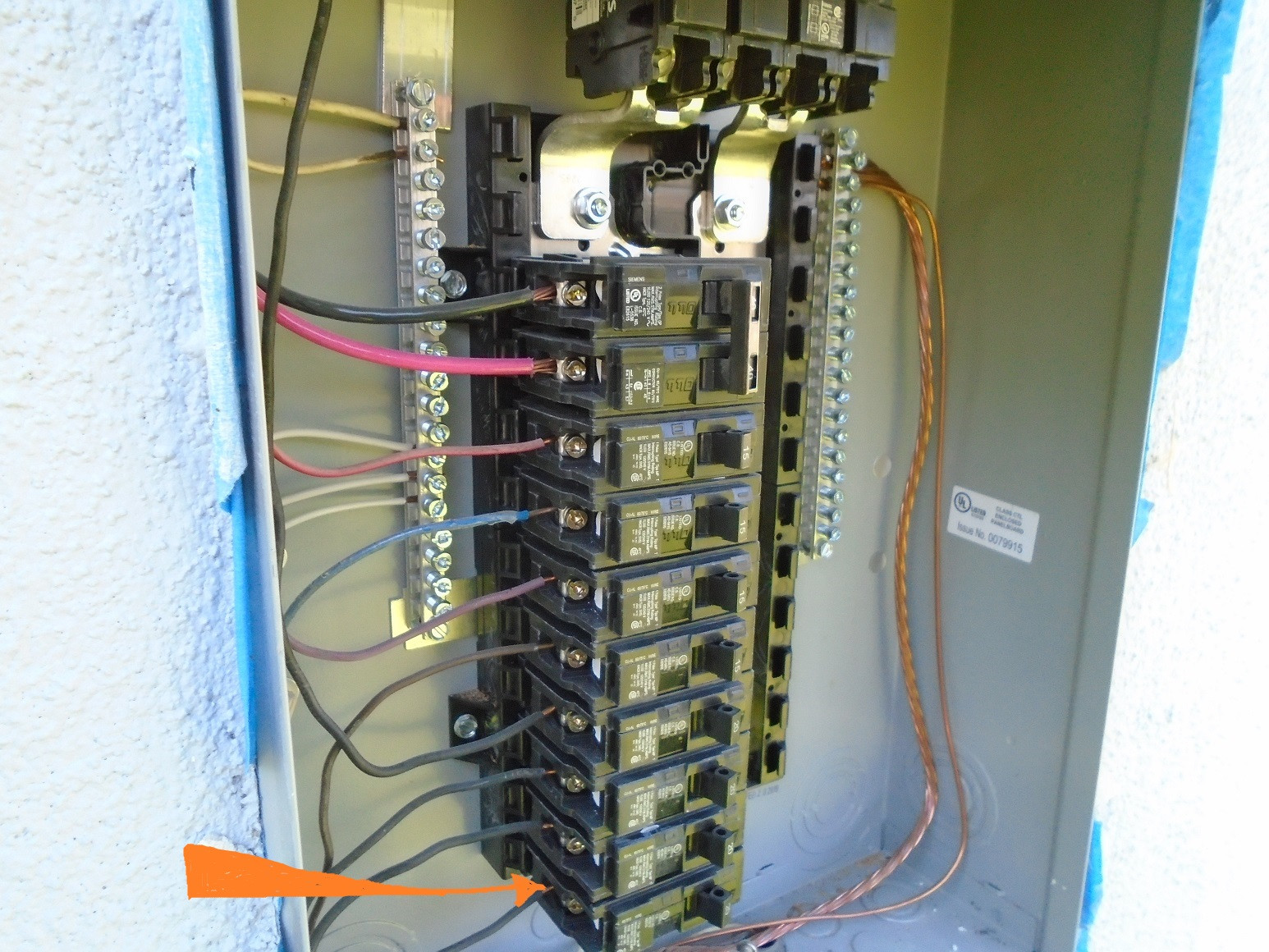
When the control panel is completely dead or errors persist after a soft reset, a hard reset is required. This method cuts power completely to allow full system reboot.
Cut Power at the Breaker
Go to your home’s electrical panel. Turn off the breaker supplying power to the dishwasher. Wait 2 to 5 minutes. For GE and Whirlpool advanced models, wait up to 15 minutes. Restore power by flipping the breaker back on.
The dishwasher may chime or flash lights as it reboots. Select a new cycle and press Start.
Why It Works: Internal capacitors store power even when the unit seems off. Waiting ensures a complete discharge and full reset of the control board.
Samsung: Power Cycle Only
Samsung dishwashers do not have a labeled Reset button. The only reliable reset method is cutting power. Unplug the unit if accessible, or turn off the breaker. Wait at least 5 minutes before restoring power.
Expert Note: Samsung states that unplugging, waiting, and powering up again clears temporary faults without affecting long-term settings.
Network Reset for Smart Dishwashers
If your smart dishwasher won’t connect to Wi-Fi or the app, perform a network reset. This erases saved network data and returns the unit to access point mode.
Samsung Wi-Fi Reset Steps
With the unit powered on, press and hold the Smart Control button for 3 seconds until “AP” appears on the display. Press and hold Hi-Temp Wash for 7 seconds until a chime sounds. Turn off the dishwasher using the power switch.
You’ll need to reconnect via the SmartThings app after this reset. Use this method when changing routers, moving homes, or experiencing app connectivity issues.
Note: This does not fix mechanical problems. It only clears network connectivity settings.
Diagnostic Reset: Deep System Reboot
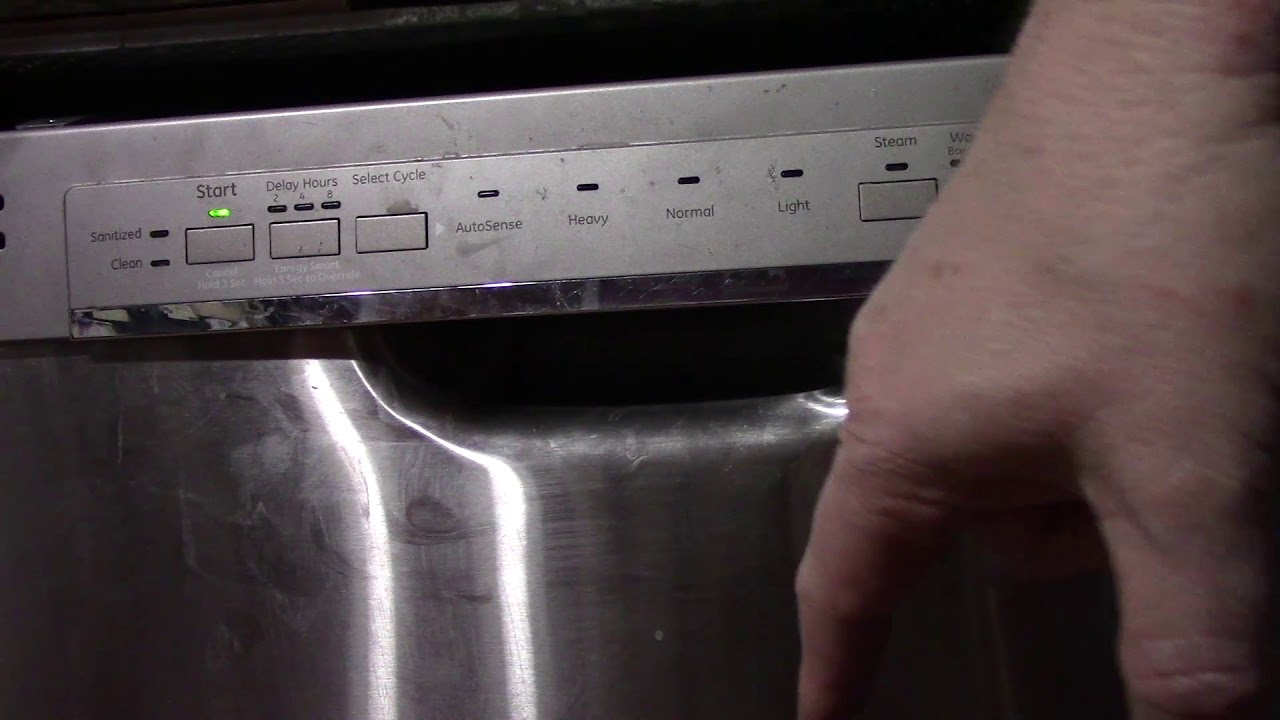
Use diagnostic mode when basic resets fail and error codes return. This advanced reset clears firmware glitches and frozen displays.
GE Factory Reset
Press and hold Start and Cycle Select simultaneously for 5 seconds. All indicator lights illuminate, confirming entry into diagnostic mode. Press and hold Cycle Select for 3 to 5 seconds. One light blinks, starting the test cycle.
Let the sequence complete, or press Start plus Cycle Select again to exit. The unit reboots with cleared error memory.
Best For: Frozen control panels, unrecognized button presses, or repeated error codes after basic troubleshooting.
Whirlpool Diagnostic Mode
Two methods work depending on your model:
Method 1: Press Heated Dry, then Normal Wash. Repeat the sequence (Heated Dry, Normal Wash) a second time. Close the door. Lights flash to confirm diagnostic mode is active.
Method 2 (newer models): Press any three buttons in order. Repeat the same sequence within 5 seconds. The unit enters diagnostic mode.
Label Variations: “Heated Dry” may be labeled Air Dry or No Heat Dry. “Normal Wash” may appear as Power Scour or Sani Rinse.
To exit diagnostic mode, cut power for 1 minute, then restore.
Warning: Diagnostic mode runs water-intensive tests. Only use when necessary.
What Happens During a Reset
Understanding what occurs during a reset helps you know if it worked.
Cycle Cancellation
Any active wash, rinse, or dry phase stops immediately. The control board clears all current settings and returns to standby mode.
Automatic Drain
If water is present in the tub, the drain pump activates after reset. This takes approximately 60 seconds. If no water drains, check for clogs in the filter or drain hose.
Error Memory Clear
Temporary error codes are erased. However, if the root cause remains (clogged filter, faulty pump), the same code returns after the next cycle.
Control Board Reboot
The onboard computer restarts, similar to rebooting a computer. This resolves software freezes and unresponsive touchpads.
Brand-Specific Reset Guide
Bosch
Hold Start/Reset for 4 seconds. The drain begins and display clears. If unresponsive, use power cycle as backup.
Samsung
No Reset button exists. Use hard reset (power cycle). For smart models, use Smart Control plus Hi-Temp Wash for Wi-Fi reset.
GE
Use Start plus Cycle Select for diagnostic reset. Some older models have a hidden reset button under the door.
Whirlpool and KitchenAid
Follow Heated Dry, Normal Wash, Heated Dry, Normal Wash sequence. Alternative method uses three-button press repeated twice.
Kenmost
Most Kenmore dishwashers are OEM Whirlpool units. Use the Whirlpool button sequence.
What a Reset Won’t Fix
A reset is a restart, not a repair. It cannot fix mechanical failures.
Mechanical Failures
Resetting does not repair clogged drain pumps, broken door latches, failed inlet valves, or worn motors. If the same error returns immediately, inspect hardware components.
Clogged Filters or Hoses
Debris in the filter or drain hose triggers error codes. Resetting without cleaning leads to recurring issues. Remove and rinse the filter monthly. Check the drain hose for kinks or blockages.
Faulty Door Switch
If the door doesn’t seal properly, the dishwasher won’t start even after reset. Inspect the latch and gasket for damage.
When to Call a Professional
Seek professional help if the same error returns after reset and troubleshooting. Call if the unit makes grinding or clicking noises. Call if water leaks from the door. Call if the door latch won’t engage. Call if you smell burning or see smoke.
Support Contacts: Bosch at 1-800-944-2904, GE at geappliances.com, Whirlpool at whirlpool.com. Enter your model number online for exact troubleshooting guides.
Key Takeaways for Resetting Your Dishwasher

Resetting your dishwasher solves most minor issues quickly. Use soft reset (hold Start/Cancel for 3-6 seconds) for wrong cycles or temporary errors. Use hard reset (cut power for 2-15 minutes) for frozen displays or persistent errors. Use network reset only for Wi-Fi or app connectivity issues. Use diagnostic mode only when basic resets fail.
Always troubleshoot first before resetting. Check filters, drain hoses, door seals, and water supply valves. A reset clears memory but doesn’t repair hardware. If problems persist after reset, inspect mechanical components or contact a professional.
Download your model’s manual from the manufacturer website. Keep it handy for error code meanings and specific reset instructions for your exact model.
Frequently Asked Questions About Resetting Dishwashers
How do I reset my dishwasher without a Reset button?
For Samsung models and others without a labeled Reset button, perform a hard reset. Turn off the circuit breaker supplying power to the dishwasher. Wait 5 to 15 minutes. Flip the breaker back on to restore power.
Why does my dishwasher keep showing an error code after reset?
The reset cleared temporary error memory, but the underlying problem remains. Check the filter for clogs, inspect the drain hose for blockages, and verify the door seal is intact. If the same error returns, the hardware issue requires repair.
Will resetting my dishwasher delete my settings?
A reset clears the current cycle and any selected options, but it doesn’t erase your saved preferences or custom settings on most models. The dishwasher returns to default factory settings temporarily, and you can reselect your preferred programs.
How long should I wait before turning power back on after a hard reset?
Wait 2 to 5 minutes for most brands. For GE and Whirlpool advanced models with complex control boards, wait up to 15 minutes. This ensures internal capacitors fully discharge for a complete reset.
Can I reset my dishwasher while it’s running a cycle?
Yes, but only use a soft reset (hold Start/Cancel) or hard reset (cut power). Never simply open the door and expect the cycle to cancel automatically, as water may remain in the tub. The dishwasher may drain automatically after reset if water is detected.
Why does my GE dishwasher blink lights after reset?
Erratic blinking lights after reset often indicate the control board didn’t fully reset. Turn off the breaker, wait 15 minutes, and restore power. If lights continue blinking, the control board may need replacement.





