How to Use Samsung Dishwasher: Quick Guide
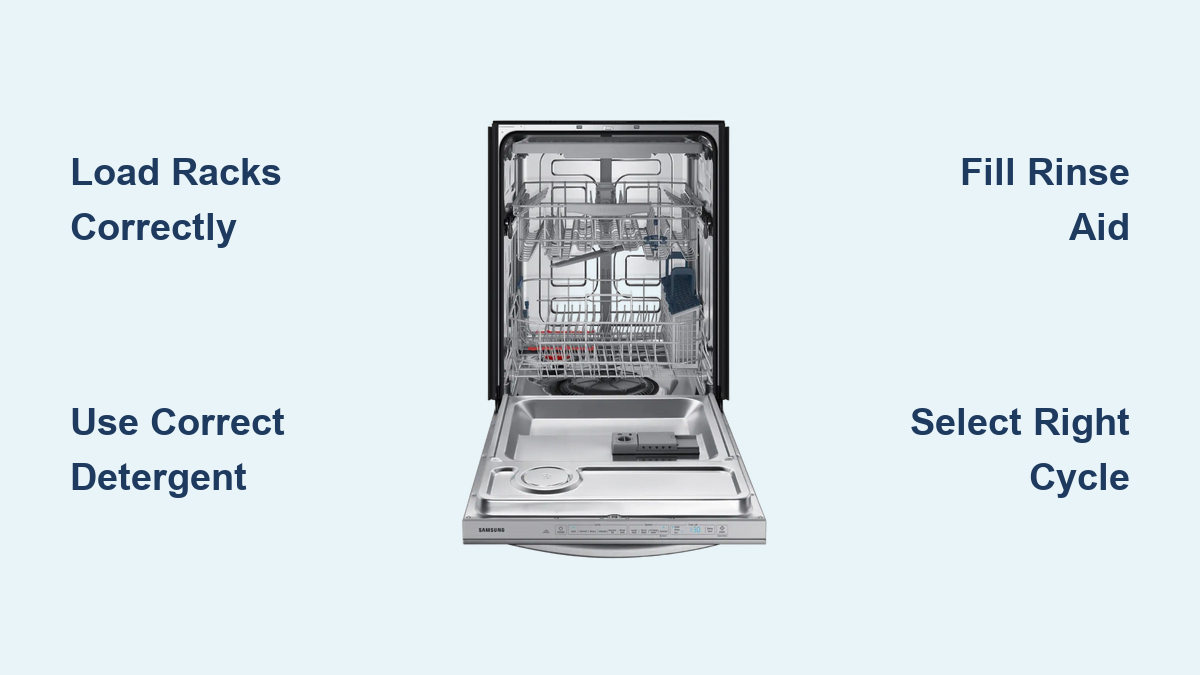
You just installed a new Samsung dishwasher or finally decided to stop guessing at the buttons. Either way, you are not alone. Many users struggle with loading racks correctly, choosing the right cycle, or figuring out why their dishes come out wet. The good news? Once you know how to use your Samsung dishwasher properly, every load will be cleaner, more efficient, and easier than hand-washing. This guide walks you through exactly how to use a Samsung dishwasher, from loading to maintenance, based on real model data and manufacturer recommendations.
Whether you own a DW80RR5061US, DW7933LRA, or DW50R4050UB, the core principles stay the same. We will cover loading best practices, detergent use, cycle selection, smart features like Auto Release Dry, and monthly maintenance to keep your dishwasher performing like new. No fluff. Just actionable steps so you can get spotless results every time.
Load Dishes the Right Way for Optimal Cleaning

Proper loading is the foundation of a clean load. Even the best detergent and cycle will not help if water cannot reach the dirty surfaces. Follow these rack-specific guidelines to ensure every dish gets thoroughly cleaned.
Lower Rack: Heavy and Soiled Items
The lower rack is designed for larger, heavier items with heavy soil. Place plates facing downward and vertically in the slots to prevent nesting. Pots and pans should go upside down near the spray arm. Arrange large pots at an angle so water drains out during drying. Never block the lower spray arm. It rotates to clean the bottom rack and must spin freely to work properly. Lids and bowls should be tilted to prevent water pooling.
Upper Rack: Delicate and Lightweight Items
The upper rack handles fragile or smaller items. Glasses and mugs go upside down in cup holders. Angle them slightly for drainage. Plastic containers should be placed away from the heating element to avoid warping. Use adjustable tines to customize space. Stagger bowls so they do not nest and block water spray.
Utensil Basket: Prevent Nesting
How you load utensils affects cleanliness and safety. Mix forks, spoons, and knives to stop them from clumping together. Point sharp edges down to prevent injury. Some models recommend handles up for better cleaning, while others prefer handles down. Check your manual for specific guidance. Never overload the basket. It restricts water flow and may block the detergent dispenser.
Add Detergent Correctly to the Dispenser
Using the wrong detergent or placing it incorrectly leads to residue, poor cleaning, or even damage. Follow these guidelines to ensure your detergent works effectively every cycle.
Always Use the Dispenser
Never place detergent directly into the tub. Always use the main detergent compartment inside the door. The dispenser opens automatically during the cycle. Ensure the lid clicks shut. If it does not close properly, the detergent may not release. Never use hand dish soap. It creates excessive suds that can flood your kitchen and damage internal components.
Choose the Right Detergent Type
Different detergent types work better for different situations. Pods and tablets are the most convenient and pre-measured. Use one per load. Liquid detergent allows customizable dosing. Fill to the marked line. Powder is budget-friendly but must be stored in a dry place to prevent clumping. Enzyme-based detergents tackle protein and starch stains like eggs and pasta. Chlorine-based options remove tough stains and odors.
Fix Pod Dissolving Issues
If your pod is not dissolving, check the water temperature first. It must be at least 120°F (49°C). Run hot water at the sink before starting the cycle. Clean the dispenser if residue is preventing proper opening. Avoid using oversized pods that do not fit in the compartment.
Fill and Adjust Rinse Aid for Spot-Free Results
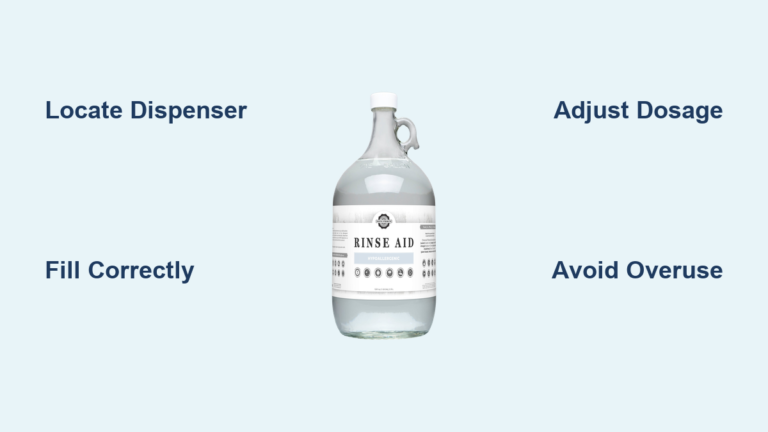
Rinse aid is essential for drying and spot-free dishes. It reduces surface tension, promotes sheeting action instead of droplet formation, and speeds up evaporation. Without it, your dishes may come out wet or spotted.
How to Fill the Rinse Aid Reservoir
Open the cap according to your model type. Some twist counterclockwise, others pull up, and some require pressing a latch. Fill to the MAX line, which is approximately 110 to 130 mL depending on your model. Close the cap securely to prevent leaks. Most models display a warning light when rinse aid is low. Refill every 1 to 2 months depending on usage.
Adjust the Dispense Rate
Set the level based on your water hardness. Hard water requires higher settings. Use F5 or F6 (or level 4) for hard water areas. Use F1 through F3 for soft water. Adjust via the Sanitize button, knob setting, or Settings menu depending on your model. Pair high rinse aid with Heated Dry for plastic containers that tend to retain moisture.
Select the Right Wash Cycle for Your Load
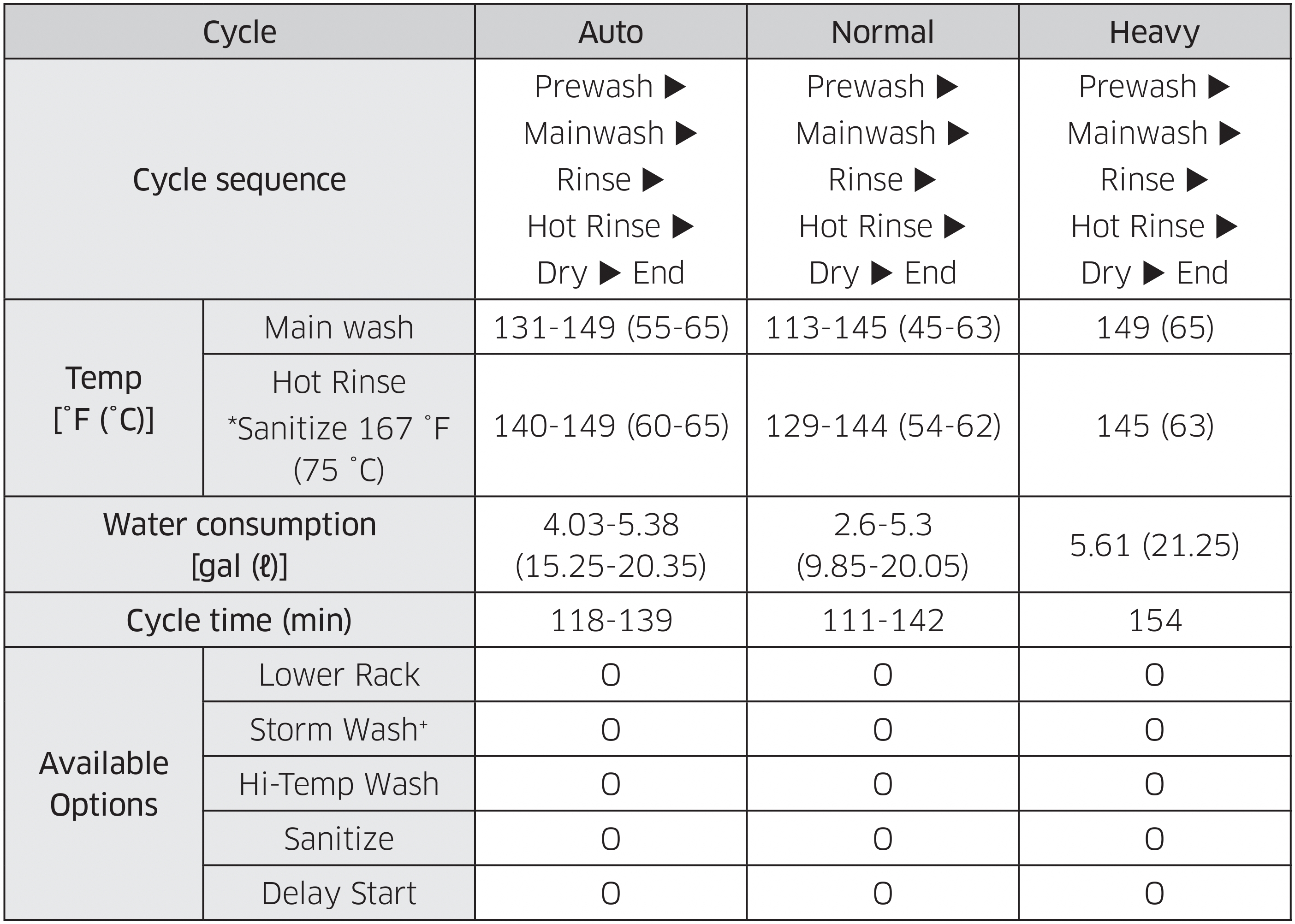
Your Samsung dishwasher offers multiple cycles. Choosing the right one ensures the best cleaning results while managing energy use efficiently.
Auto Wash: Smart Cleaning
This cycle self-adjusts time, temperature, and water based on soil level. It is best for mixed loads with varying dirt levels. The cycle runs 1.5 to 3 hours. This is your daily driver for most households.
Normal Cycle: Everyday Dishes
This provides balanced cleaning for light to medium soil. It takes about 1.5 to 2 hours. Ideal for plates, glasses, and utensils after dinner.
Heavy Duty: Pots and Pans
This uses high-pressure, high-heat washing. It takes 3 or more hours. Perfect for baked-on food and heavily soiled cookware. Use with the Intensive Spray option if available.
Express Wash: Quick Clean
This runs 30 to 60 minutes for light loads. Do not overload when using this cycle. Only use when dishes are slightly dirty. Great for a mid-day refresh.
Eco Wash: Save Energy
This uses less water and power. The cycle is longer at 3 to 4 hours. Best when you are not in a hurry and want to minimize energy consumption.
Glass and Delicate Cycle
This uses gentle water pressure and lower heat. Protects crystal, fine china, and stemware. Avoid using it on pots or heavily soiled items.
Special Cycles to Know
Steam Sanitize kills 99.9% of bacteria. Ideal for baby bottles or cutting boards. Rinse Only prevents food from drying on dishes before a full load. Soak loosens dried-on food before the main wash. Self Clean removes internal buildup. Run it monthly with no dishes inside.
Use Wash Options to Enhance Cleaning Performance
Enhance your cycle with customizable options. Just do not overdo it. Select what your load actually needs.
Enable Heated Dry
This uses the internal heater to evaporate moisture. It is essential for plastic items that do not dry well otherwise. Be aware it slightly increases energy use.
Turn On Steam Sanitize
This raises the rinse temperature to at least 150°F (65.5°C). Recommended for homes with children, elderly, or immunocompromised members. It adds 30 to 60 minutes to the cycle.
Use Delay Start
Schedule cleaning during off-peak electricity hours. Set 1 to 24 hours ahead. Great for running overnight or returning home to clean dishes.
Activate Control Lock
This prevents accidental button presses. Hold the Lock button for 3 seconds to enable or disable. Useful in homes with children.
Try Auto Release Dry
The door unlatches and opens 5 to 15 minutes before the cycle ends. Promotes air-drying, reduces spots, and saves energy. Requires 24 or more inches of clearance in front of the dishwasher.
Start Your Samsung Dishwasher Properly
One missed step can cancel the cycle. Follow these steps to ensure your dishwasher runs correctly every time.
Step-by-Step Start Process
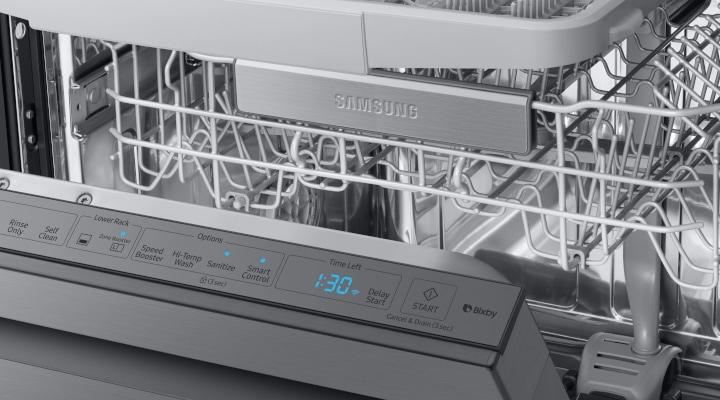
Close the door fully before starting. Press the Power button to activate the display. Select your desired cycle by swiping or pressing the cycle buttons. Add any options like Steam Sanitize or Heated Dry. Press the Start button firmly. Close the door within 3 seconds. If you wait longer, the cycle will abort. A chime confirms the cycle has started.
Monitor the Display
The panel shows remaining time, current phase (Wash, Rinse, Dry), active options, and any error codes. There is no need to open the door during operation. Everything is visible on the display.
Cancel or Reset a Cycle When Needed
Changed your mind? No problem. Samsung dishwashers make it easy to cancel or reset a cycle.
Cancel Methods
Press the Cancel button to stop the cycle. Alternatively, open the door and hold Cancel for 3 seconds. You can also hold Start for 3 seconds to reset. After canceling, the dishwasher drains water automatically.
Reset for Errors
If the display shows an error code or gets stuck, cancel the cycle first. Turn off power at the circuit breaker for 1 minute. Restore power and restart. Persistent errors like SE may require service.
Maintain Your Dishwasher for Long-Lasting Performance
A clean dishwasher cleans better. Perform these maintenance tasks monthly to keep your appliance running optimally.
Clean the Filter Weekly
Remove the coarse and fine filters from the tub base. Rinse under running water to remove debris. Reinstall securely. Misaligned filters cause drain issues and error code 5C. Never run the dishwasher without the filter.
Inspect Spray Arms
Check nozzles for clogs. Remove arms and rinse the holes if blocked. Ensure they spin freely before each cycle.
Run a Cleaning Cycle Monthly
Place 1 cup of white vinegar on the upper rack or use Affresh tablets. Run Heavy or Self Clean cycle with no dishes. This removes grease, odor, and limescale. For hard water, do this every 2 to 3 weeks.
Wipe Door and Seal
Use a damp cloth to clean the door edges, rubber gasket, and control panel. This prevents mold and ensures a tight seal.
Troubleshoot Common Samsung Dishwasher Issues
Quick fixes for everyday problems can save you a service call.
Dishes Come Out Wet
Enable Heated Dry or Auto Release Dry. Refill rinse aid. Avoid overcrowding. Unload from bottom to top to prevent dripping.
White Film on Glassware
This is caused by hard water or too much detergent. Use rinse aid consistently. Reduce detergent amount. Install a water softener if needed.
Detergent Not Dissolving
Run hot water at the sink first. Clean the dispenser. Use smaller pods or liquid detergent.
Bad Smell
Clean the filter. Run a vinegar cycle. Do not let dishes sit too long before running a load.
Error Code 5C
This means a drain issue. Usually a clogged filter or kinked hose. Clean the filter thoroughly. Check the drain hose under the sink. Reset power.
Pro Tips for Better Dishwasher Performance
Get the most from your appliance with these expert strategies.
Scrape, Do Not Rinse
Modern detergents need food residue to activate enzymes. Just remove large chunks. Pre-rinsing reduces cleaning power.
Run Full Loads
Maximize water and energy efficiency. Wait until the dishwasher is full unless using Express or Rinse Only.
Use Hot Water Start
Turn on the hot tap at the sink for 10 to 15 seconds before starting. Ensures immediate hot water entry. Improves cleaning and pod dissolution.
Store Pods Safely
Keep detergent pods in a cool, dry place. Store out of reach of children. They resemble candy and can be dangerous.
Ventilate After Washing
Leave the door open an inch after unloading. Prevents moisture buildup and musty odors.
Frequently Asked Questions About Using Samsung Dishwashers
How do I know which cycle to use?
Choose Auto Wash for mixed loads with varying soil. Use Normal for everyday light to medium cleaning. Select Heavy Duty for pots, pans, and baked-on food. Express works for quick light loads. Eco saves energy when time is not urgent.
Why do my dishes come out wet every time?
This usually means Heated Dry is disabled or rinse aid is low. Enable Heated Dry or Auto Release Dry. Refill the rinse aid reservoir. Avoid overcrowding, which blocks proper drying.
Can I use regular dish soap in my Samsung dishwasher?
Never use hand dish soap. It creates excessive suds that can flood your kitchen and damage internal components. Use only dishwasher-specific detergent.
How often should I clean the filter?
Clean the filter weekly. Remove debris and rinse under running water. Reinstall securely to prevent drainage issues and error codes.
What does error code 5C mean?
Error code 5C indicates a drain problem. Usually a clogged filter or kinked drain hose. Clean the filter thoroughly and check the hose connection under the sink.
Is it okay to run my dishwasher every day?
Yes. Running your dishwasher daily is normal and efficient. Just ensure full loads for best water and energy use. Run a maintenance cycle monthly even with regular use to prevent odor and buildup.
Key Takeaways for Using Your Samsung Dishwasher Effectively
Your Samsung dishwasher is designed to deliver powerful, efficient cleaning with minimal effort. By following these steps, you will enjoy spotless dishes, reduced energy use, and a longer-lasting appliance. Load racks properly with soiled sides facing the spray arms. Use the correct detergent in the dispenser, not the tub. Fill rinse aid to the MAX line and adjust the dispense rate for your water hardness. Select the right cycle for your load type, whether Auto, Normal, Heavy, or Express. Enable options like Heated Dry and Steam Sanitize when needed. Close the door within 3 seconds of pressing Start. Maintain your dishwasher monthly by cleaning the filter, inspecting spray arms, and running a vinegar or cleaner cycle. Refer to your specific model manual for model-specific features, but this guide covers everything you need to know to get started and stay confident.