
How to Reset GE Dishwasher: Quick Steps
Is your GE dishwasher unresponsive, frozen mid-cycle, or displaying strange blinking lights? Many homeowners face these issues after power outages, electrical surges, or simple software glitches. The good news: resetting your GE dishwasher can resolve most of these problems quickly, without calling a technician or spending money on parts.
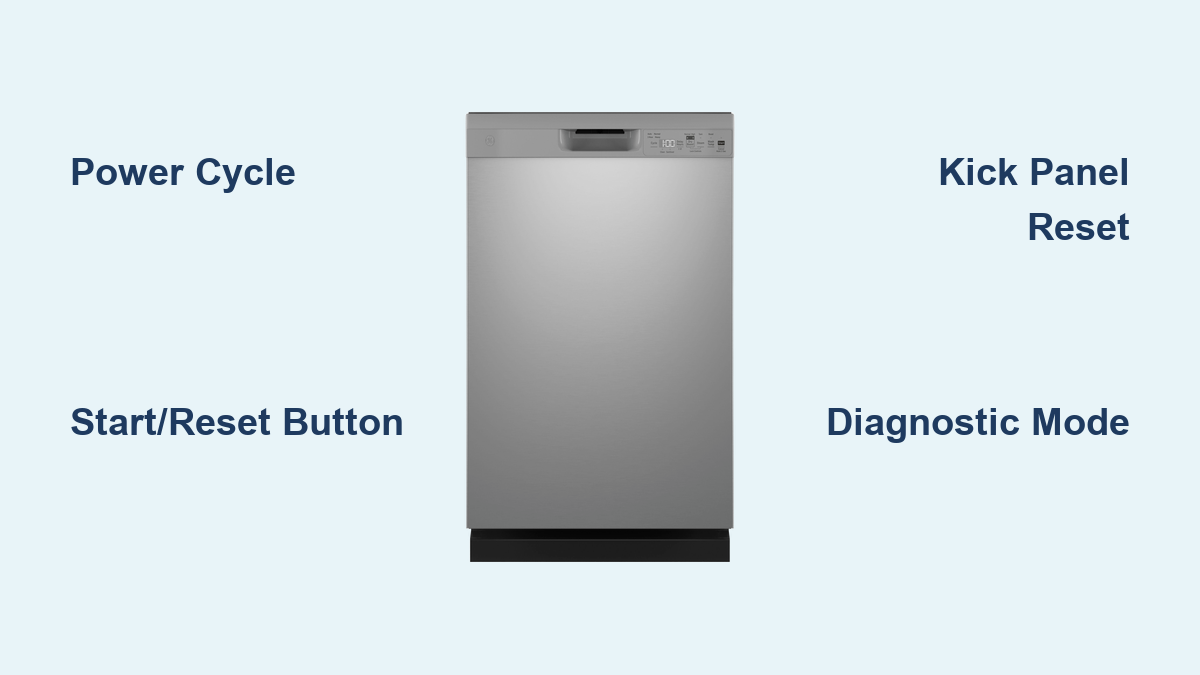
This guide covers four proven reset methods, from simple button presses to advanced diagnostic mode. You’ll also learn troubleshooting steps when resets fail, maintenance tips to prevent future issues, and exactly when to call a professional.
Reset Using the Start/Reset Button
The Start/Reset button is the simplest way to clear minor control issues on most GE dishwashers. This method cancels active cycles and clears temporary software hiccups.
Front-Control Models
- Locate the Start/Reset button on the control panel.
- Press and hold it for at least 3 seconds.
- Wait up to 2 minutes for the cycle to cancel and lights to stop blinking.
- Select a new wash cycle and press Start.
This works on models with touchpad controls where Start/Reset appears on the far-right button. It’s ideal for forgotten dishes or interrupted cycles.
Top-Control Models
- Open the dishwasher door fully.
- Press the Start/Reset button.
- Close the door securely until you hear it latch.
- Wait for blinking lights to stop, up to 2 minutes.
- Select a new cycle and restart.
Pro Tip: Ensure the door clicks into place. A misaligned door prevents startup even after a successful reset.
This method resolves approximately 80% of everyday issues, including unresponsive buttons or frozen displays.
Perform a Power Cycle Reset
When buttons won’t respond, a power cycle provides the most effective solution. This hard reset works on all GE dishwasher models and clears electronic lockups that software resets cannot address.
Turn Off the Circuit Breaker
- Locate the kitchen or dishwasher circuit breaker in your electrical panel.
- Switch the breaker to the OFF position.
- Wait 5 to 10 minutes. This ensures capacitors fully discharge and the control board resets completely.
- Turn the breaker back to ON.
Reinitialize the Dishwasher
After power returns, follow these steps to ensure full reinitialization:
- Open and close the dishwasher door three times. This resets the door latch sensor, a common trigger for startup failure.
- Press Start/Reset to clear any residual error states.
- Select a wash cycle and begin.
Why This Works: Modern GE dishwashers use microprocessor controls that can freeze after power surges or outages. A full power cycle forces a clean reboot, similar to restarting a frozen computer.
This method is over 90% effective for unresponsive units, especially after electrical interruptions. It also triggers automatic draining if water remains in the tub.
Check for a Kick Panel Reset Button

Some older GE models include a hidden reset switch behind the toe kick panel. This button resets motor overload protection, often triggered by overheating or jams.
Locate the Reset Button
- Ensure power is ON. Some models require live voltage for the reset to function.
- Use a Phillips screwdriver to remove the kick panel beneath the door. It’s usually held by 2 to 4 screws.
- Look inside for a small red or black button labeled “Reset” or “Motor Reset.”
Press and Test
- Press and hold the button for 5 seconds.
- Release and reattach the kick panel.
- Close the door and press Start to test.
Important: Not all models have this feature. The GDT655SSJ0SS does not include a kick panel reset button. Attempting this on incompatible models risks unnecessary disassembly.
This reset targets motor-specific faults, such as a jammed impeller or thermal shutdown. If your dishwasher hums but won’t start, this method may help if your model supports it.
Enter Diagnostic Mode for a Full Reboot
For persistent issues, use Diagnostic Mode. This technician-level reset reboots the control board and tests internal components.
Activate Service Mode
- Make sure the dishwasher is off and idle.
- Press and hold SELECT CYCLE and START together for 5 seconds.
- Release when all control lights illuminate.
- Continue holding SELECT CYCLE for another 3 to 5 seconds. The Control Lock light may turn on.
- If no lights blink, hold SELECT CYCLE an extra 5 seconds until one light starts blinking. You’re now in Service Mode.
Run Component Tests
Press SELECT CYCLE to cycle through tests for these components:
- Drain pump
- Spray arm motor
- Heating element
- Detergent dispenser
- Sensors
Listen for each component to activate briefly during testing.
Exit and Reset
- Press and hold START for 5 seconds until it lights up.
- Then press and hold SELECT CYCLE and START together for 5 seconds.
- All lights will turn off, returning the dishwasher to normal mode.
- Alternatively, open the door to exit. The unit auto-exits after about 5 minutes.
Warning: Only run diagnostics if troubleshooting a known issue. Misreading blink codes can lead to false conclusions.
Blink Code Reference:
- 2 blinks: Heating element problem
- 4 blinks: Drain pump failure
- 6 blinks: Water inlet issue
Check your model manual for exact meanings.
Troubleshoot When Reset Fails
If your dishwasher still won’t start after resetting, the issue may be deeper than a software glitch. Follow this troubleshooting checklist.
Verify Power Supply
- Ensure the breaker is ON and has not tripped.
- Check nearby GFCI outlets. Some dishwashers are wired through GFCI outlets that may trip silently.
- Test voltage with a multimeter if comfortable. This requires professional-level skill.
Inspect the Door Latch
The dishwasher won’t start unless the door is fully closed and latched.
- Listen for a click when closing the door.
- Clean debris from the latch area.
- Look for misalignment or visible damage to the latch mechanism.
Clear Standing Water
If water remains after a cycle, it may trigger the float switch and block startup.
- Manually drain or clear the filter and sump area.
- Run a rinse cycle after reset to confirm proper drainage.
Check for Error Codes
Blinking lights signal specific faults:
- Steady light: Normal operation
- Rapid blinking: Control board error
- Intermittent flash: Component failure
Refer to your owner’s manual for model-specific codes.
Test Internal Components
Repeated reset failures may indicate hardware problems:
- Faulty control board
- Failed drain pump
- Clogged inlet valve
- Blown thermal fuse
Consider professional diagnosis if resets fail consistently.
Model-Specific Tips: GDT655SSJ0SS
The GE GDT655SSJ0SS, a 5-year-old built-in unit, has no physical reset button on the panel or under the kick plate. It relies entirely on software-based resets.
Verified Reset Options
- Power cycle using the circuit breaker. This is the most reliable method for this model.
- Diagnostic mode using SELECT CYCLE plus START. This provides a full firmware reboot.
- After power restoration, pressing Start alone may resume operation.
One user reported success after a 1-minute power cut followed by pressing Start. This proves even short resets can clear intermittent faults.
Key Insight: Always open and close the door three times after power restoration to reset door sensors. This step is recommended by technicians for full reinitialization.
Prevent Future Issues
Frequent resets signal poor maintenance or system strain. Keep your dishwasher running smoothly with these habits.
Clean the Filter Weekly
A clogged filter causes drainage errors and triggers false fault codes. Remove the filter and rinse it under warm water.
Inspect Spray Arms Monthly
Debris in spray arm nozzles reduces cleaning power and strains the pump. Remove the arms and flush with water to clear blockages.
Wipe the Door Gasket
Hard water and food residue can damage the seal over time. Clean the gasket with a damp cloth to prevent leaks and ensure proper closure.
Use Rinse Aid and Descaler
Rinse aid improves drying performance. Descaling agents prevent mineral buildup on sensors and heating elements.
Run Hot Water First
Turn on the kitchen sink until water is hot before starting the dishwasher. This ensures optimal inlet temperature and faster, more effective cleaning.
Remember: Resetting isn’t a substitute for maintenance. If problems persist, inspect internal components or call a professional.
When to Call a Professional
Resetting fixes most glitches, but not all. Contact GE Appliance Service at 1-800-432-2737 if:
- The dishwasher won’t power on after multiple reset attempts
- Error codes return immediately after resetting
- You hear grinding noises or notice water leaks
- The unit fails to fill or drain properly
Unauthorized repairs may void your 1-year limited warranty. Always use authorized service for covered issues.
Final Check: Write down your model number, like GDT655SSJ0SS, and keep it handy. It speeds up troubleshooting, parts ordering, and service calls.
Frequently Asked Questions About Resetting GE Dishwashers
How do I reset my GE dishwasher control panel?
Press and hold the Start/Reset button for 3 seconds on front-control models. For top-control models, open the door, press Start/Reset, then close the door securely. Wait up to 2 minutes for the system to reset.
Why won’t my GE dishwasher start after a power outage?
Power outages can cause electronic lockups in the control board. Perform a power cycle by turning off the circuit breaker for 5 to 10 minutes, then restore power. Open and close the door three times before attempting to start a new cycle.
Where is the reset button on a GE dishwasher?
Most modern GE dishwashers don’t have a physical reset button. Instead, use the Start/Reset button on the control panel or perform a power cycle at the circuit breaker. Some older models have a reset button behind the kick panel, but this is rare in newer units.
How long should I wait before turning my GE dishwasher back on after resetting?
Wait at least 5 to 10 minutes after turning off the circuit breaker. This ensures capacitors fully discharge and the control board completes its reset cycle. For stubborn issues, wait the full 10 minutes.
What does it mean if my GE dishwasher lights are blinking?
Blinking lights indicate specific faults. Two blinks mean a heating element problem. Four blinks signal drain pump failure. Six blinks indicate a water inlet issue. Refer to your model’s manual for exact blink code meanings.
Can I reset my GE dishwasher without turning off the breaker?
Yes. Use the Start/Reset button for a simple reset. For deeper issues, you may need to perform a power cycle at the breaker. Without turning off power, you cannot perform a full hard reset.
Key Takeaways for Resetting Your GE Dishwasher
A GE dishwasher reset clears control board memory and resolves most electronic issues quickly. The power cycle method works on all models and is over 90% effective for unresponsive units after power surges or outages. The Start/Reset button handles 80% of everyday problems like frozen displays or interrupted cycles. For persistent issues, diagnostic mode provides a full firmware reboot and component testing. Always document your model number before troubleshooting, and contact GE Appliance Service at 1-800-432-2737 if resets fail repeatedly or if you notice leaks, grinding noises, or persistent error codes.





