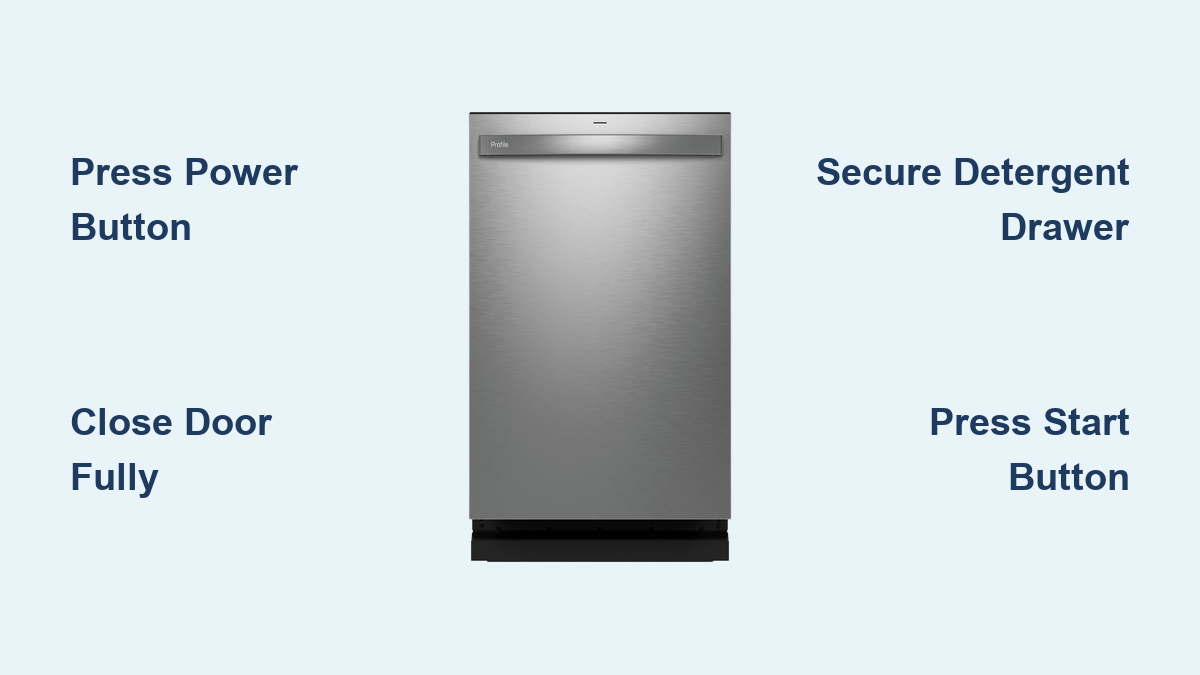
How to Turn On GE Dishwasher: Quick Steps
You’ve loaded the dishes, added detergent, and closed the door. Yet your GE dishwasher won’t start. This frustrating scenario happens to many users, especially with varying models and digital controls. The good news? Starting your GE dishwasher is straightforward once you understand the correct power-up sequence. This guide walks you through every step to turn on GE dishwasher models, explains model-specific differences, and helps you troubleshoot common startup issues.
Power On Your GE Dishwasher Control Panel
Before any wash cycle begins, the control panel must be active and ready to receive commands.
Press the Power or On Button First
On most GE dishwashers, press the Power or On button to wake up the control system. Some models automatically power on when the door is opened, but many require manual activation. If the display appears blank or dark, this step is essential. No response after pressing Power? Check your power supply first. Verify the unit is plugged in or the circuit breaker hasn’t tripped.
Confirm Power With Indicator Lights
Once powered, the control panel may flash briefly or show a default display like the current time or a cycle selection menu. If nothing appears after pressing Power, verify the electrical connection. Kitchen GFCI outlets sometimes trip silently, cutting power without obvious signs. Check the outlet and reset the GFCI if needed.
Ensure the Door Is Fully Closed and Latched
A common reason a GE dishwasher won’t start involves the door not being properly secured.
Listen for the Distinct Latch Click
Close the door firmly until you hear a distinct click. This confirms the door latch has engaged fully. Even a slightly ajar door prevents startup and triggers error codes. Check for tall items like baking sheets or utensil holders that might block full closure. The door must seat completely for the safety interlock to engage.
Inspect the Door Latch Mechanism
Over time, food debris or hard water buildup can interfere with the latch mechanism. Wipe the door seal and latch area monthly with a soft, damp cloth. A sticky or loose latch may need cleaning or professional service. If the latch appears damaged or worn, contact GE support for repair options.
Load Detergent and Secure the Drawer
The detergent drawer must be fully closed or the cycle won’t start.
Add Detergent to the Main Compartment
Open the detergent drawer located on the inner door panel. Add your preferred detergent: powder, pod, or gel to the main wash compartment. For better drying results, refill the rinse aid dispenser weekly. Use only detergents specifically designed for dishwashers to avoid overflow and damage.
Close the Drawer Until It Clicks
Push the detergent drawer shut with firm pressure until it clicks into place. If the drawer pops open or doesn’t latch properly, the dishwasher may block startup as a safety measure. Reopen and reclose the drawer if needed. A jammed drawer can trigger error behavior and prevent cycle initiation.
Select Your Preferred Wash Cycle
Now choose how your dishes get cleaned by selecting an appropriate cycle.
Use the Cycle Button to Scroll Options
Press the Cycle button to toggle through available programs. Common cycles include:
- One-Hour / Express: Fast clean for light loads, approximately one hour
- Normal: Balanced cleaning for everyday use
- Heavy: For pots, pans, and baked-on food
- Rinse: Quick rinse without detergent
- Sanitize Wash: Heats water to 150°F to kill bacteria (select models)
Understand One-Hour Cycle Limitations
The Express cycle runs with default high heat settings and no adjustments allowed. You cannot disable heat or drying on this setting. Avoid using it for heavily soiled items that need longer soaking or higher temperatures.
Adjust Heat and Drying Settings

Customize cleaning intensity and drying time based on your load type.
Enable High-Temp Wash for Better Cleaning
For improved grease removal and sanitization, activate Heat Boost or High-Temp Wash. This raises water temperature during the wash cycle. Most models include this feature look for the dedicated button near the cycle controls. This option works especially well with the Normal or Heavy cycle.
Choose the Right Dry Option
Select from available drying settings:
- Normal Dry: Approximately 2 hours
- Ultra Dry: Approximately 3-4 hours, better for plastics
- No Dry / Dry Off: Skips drying to save time and energy
On some models, Dry Boost can be turned off by pressing the button three times. This is useful when you want faster cycle completion.
Use Advanced Features on Higher-End Models
Premium GE and GE Café models offer extra cleaning options.
Activate Sanitize Wash for Bacteria Elimination
The Sanitize Wash option kills 99.999% of bacteria by heating water to at least 150°F. This feature is ideal for baby bottles, cutting boards, or dishes after illness. Note that this may extend total cycle time but ensures thorough sanitization.
Enable Steam or Pre-Soak for Deep Cleaning
- Steam enhances pre-wash cleaning by loosening tough food particles
- Pre-Soak adds a soaking phase at the beginning of the cycle. Disable it to shorten runtime if you’re in a hurry
These features can often be used together on GE Café models for maximum cleaning power. Press each button to enable the desired options before starting.
Set Wash Zones on GE Café Models
Control where water sprays inside the tub to save water and energy.
Choose Upper, Lower, or Both Wash Zones
If only the top rack is loaded, select the Upper zone to save water and energy. The digital display will show which zones are active. Default setting is Upper + Lower, meaning both zones spray water during the cycle.
Adjust Zones Based on Load Size
Running a half-load? Save resources by selecting just one zone. The dishwasher automatically adjusts spray patterns and water usage accordingly. This feature is available primarily on GE Café series models with digital displays.
Start the Wash Cycle
This is the final step to get your dishwasher running.
Press Start and Close the Door
Tap the Start button. The display shows estimated remaining time, such as 1 hour 48 minutes. Close the door fully after pressing Start. The cycle begins once the door latch engages. Many models emit a double-beep when the cycle starts successfully.
Confirm Cycle Has Begun
Look for the countdown timer on the display. If you don’t hear the double-beep, check whether the door is fully latched or if Control Lock is enabled. The control panel should show active countdown or cycle status.
Troubleshoot: GE Dishwasher Won’t Start
Even with correct steps, problems can occur. Here’s how to fix them.
Door Not Latched Properly
Reclose the door firmly. Check for obstructions like a misaligned rack or large dish blocking closure. Remove any items that prevent the door from seating completely. The latch must engage for the dishwasher to respond.
Control Lock Is Active
If buttons don’t respond when pressed, Control Lock may be enabled. This feature prevents accidental button presses. Press and hold the Control Lock button for 3 seconds until the indicator light turns off. Check your user manual for the exact button location.
Power Failure or Electrical Issues
A blank display indicates no power. Check the outlet, GFCI reset button, or circuit breaker. Ensure the unit is receiving power. Reset the GFCI if needed. For hardwired units, verify the connection at the junction box.
Detergent Drawer Not Closed
An unlatched detergent drawer can block startup. Reopen the drawer and firmly close it again. Make sure it clicks into place. The drawer must be fully secured for the cycle to initiate.
Cycle Paused or Interrupted
If the dishwasher was paused mid-cycle, press Start/Resume to continue. To cancel and restart with new settings, press and hold Start for 3 seconds. Listen for the double-beep confirming cancellation, then select your new cycle and options.
Model-Specific Tips for Popular GE Dishwashers
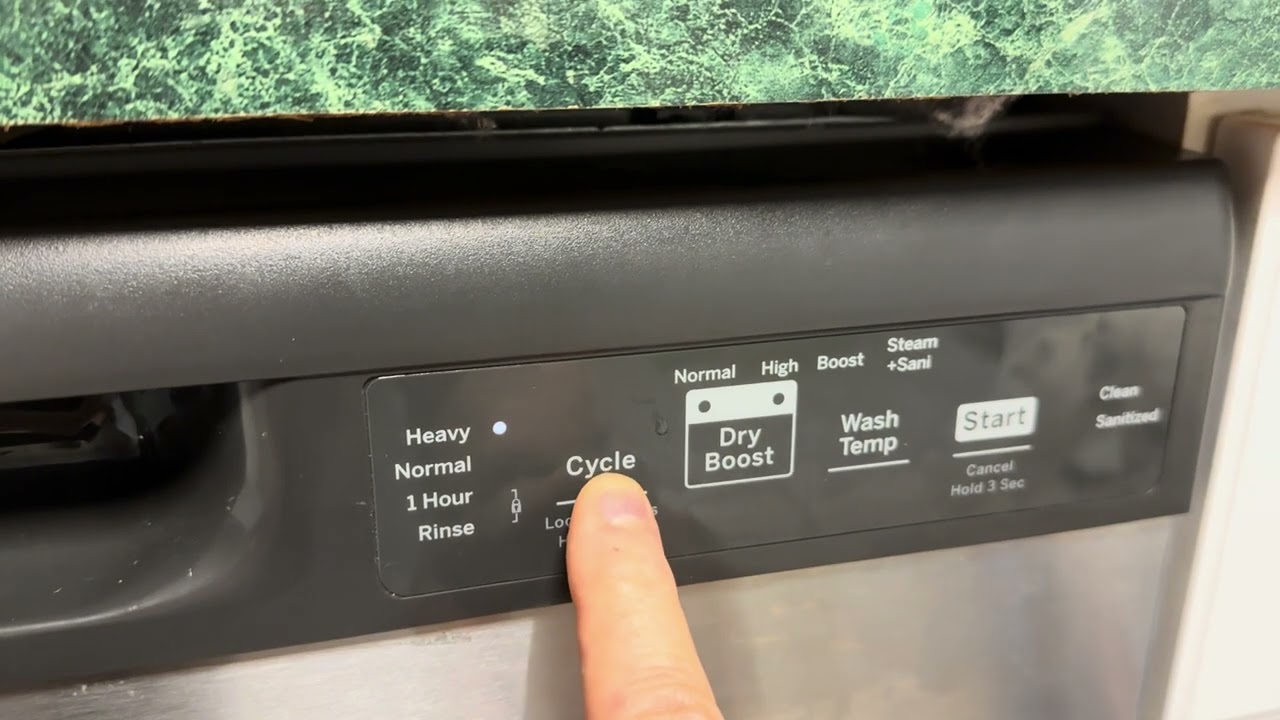
GE Model GDF535PSR3SS
This standard GE model features cycle selection via the Cycle button. The One-Hour cycle does not allow temperature adjustments. Dry Boost is disabled by pressing the button three times. Supports Heat Boost, Steam, and Sanitize Wash as selectable options. Multiple advanced options can be combined. Cycle completion is shown by the white Clean light illuminating.
GE Café Series Dishwashers
GE Café models include a digital display showing remaining time and wash zones. High-Temp Wash and Pre-Soak can be disabled to shorten cycle time. For the fastest cycle, use Express with Dry disabled. Example optimized cycle runs approximately 1 hour 48 minutes with Express cycle, both zones active, and Dry turned off.
Know When the Cycle Is Complete
Wait for the White Clean Light
At cycle end, a white “Clean” light illuminates on the control panel. This means washing and drying are complete. The light stays on until you open the door or power off the unit. Don’t unload until you see this indicator.
Open Door to Reset the Display
Opening the door turns off the Clean light. If you don’t unload immediately, moisture may re-condense on dishes. Open the door slightly to vent steam if needed. This prevents water spots and helps dishes dry completely.
Cancel and Restart Anytime
Need to change settings mid-cycle? No problem.
Press and Hold Start for 3 Seconds
This cancels the current cycle. You’ll hear a double-beep confirming cancellation. The unit resets to standby mode, ready for new settings. This works on GE Café and most modern GE models.
Restart With New Settings
- Select your new cycle and options
- Press Start
- Close the door fully
The dishwasher begins the new cycle immediately.
Maintenance for Reliable Starts
Keep your dishwasher ready to start reliably.
Clean the Control Panel Monthly
Wipe buttons and display with a soft, damp cloth. Avoid harsh chemicals that can damage the control interface. Regular cleaning prevents sticky buttons and ensures responsive controls.
Check Rinse Aid Regularly
Low rinse aid leads to poor drying performance and water spots. Refill when the indicator shows empty or weekly with heavy use. Quality rinse aid improves drying and helps prevent residue buildup.
Run Sanitize Wash Monthly
Running a Sanitize Wash or High-Temp Wash cycle monthly helps clear grease and mineral buildup inside the dishwasher. Use a dishwasher cleaner for best results. This maintenance keeps internal components working efficiently.
Inspect the Door Latch Monthly
Clean debris from the latch area. Ensure smooth operation by wiping away food particles or mineral deposits. A clean latch ensures proper door closure and reliable startup.
Quick Start Checklist
- Close door until it clicks
- Press Power if display is off
- Add detergent, close drawer firmly
- Press Cycle to choose program
- Adjust Heat and Dry settings
- Enable Sanitize, Steam, or Zones if needed
- Press Start, close door
- Wait for Clean light to unload
Final Tips for Successful GE Dishwasher Operation
Avoid common mistakes to keep your GE dishwasher running smoothly. Never use liquid dish soap designed for hand washing this causes overflow and damage. Use quality detergent pods or powder made specifically for dishwashers. Don’t overload racks water needs space to circulate for proper cleaning. Refer to your user manual for model-specific features like zone wash or steam functions. Disable Pre-Soak and Dry options for fastest results on light loads.
Starting a GE dishwasher should be simple. By following the correct sequence of power, load, select, and start, you’ll get your kitchen running smoothly. When in doubt, look for the white Clean light it’s GE’s universal signal that the job is done and your dishes are ready to unload.
Frequently Asked Questions About Turning On a GE Dishwasher
Why won’t my GE dishwasher start even after pressing the start button?
The door may not be fully latched, the detergent drawer could be open, or Control Lock might be enabled. Check that the door clicks closed, the detergent drawer is secured, and press and hold Control Lock for 3 seconds to disable it if the light is on.
How do I turn on a GE dishwasher for the first time?
Ensure the dishwasher is connected to power, close the door firmly until it latches, press the Power button if the display is dark, add detergent to the main compartment, close the detergent drawer, select a cycle, and press Start.
Where is the start button on a GE dishwasher?
The start button is typically located on the control panel, usually labeled “Start” or “Start/Resume.” On some models, it may be combined with other functions. Check the front control panel area below the display.
Does pressing start twice start the cycle?
No, pressing Start twice does not start the cycle. You press Start once, then close the door fully. The cycle begins once the door latch engages. If the door isn’t closed properly, the dishwasher won’t start.
How do I know if my GE dishwasher is turned on?
The control panel display should show a menu, time, or cycle indicator when powered. Indicator lights may flash briefly. If the display remains blank, check the power supply, GFCI outlet, or circuit breaker.
Can I run my GE dishwasher without pressing the power button first?
Some GEdishwashers automatically power on when the door is opened. However, many models require pressing the Power or On button first to activate the control panel. Check your model’s behavior by opening the door and observing the display.