How to Turn Off KitchenAid Dishwasher
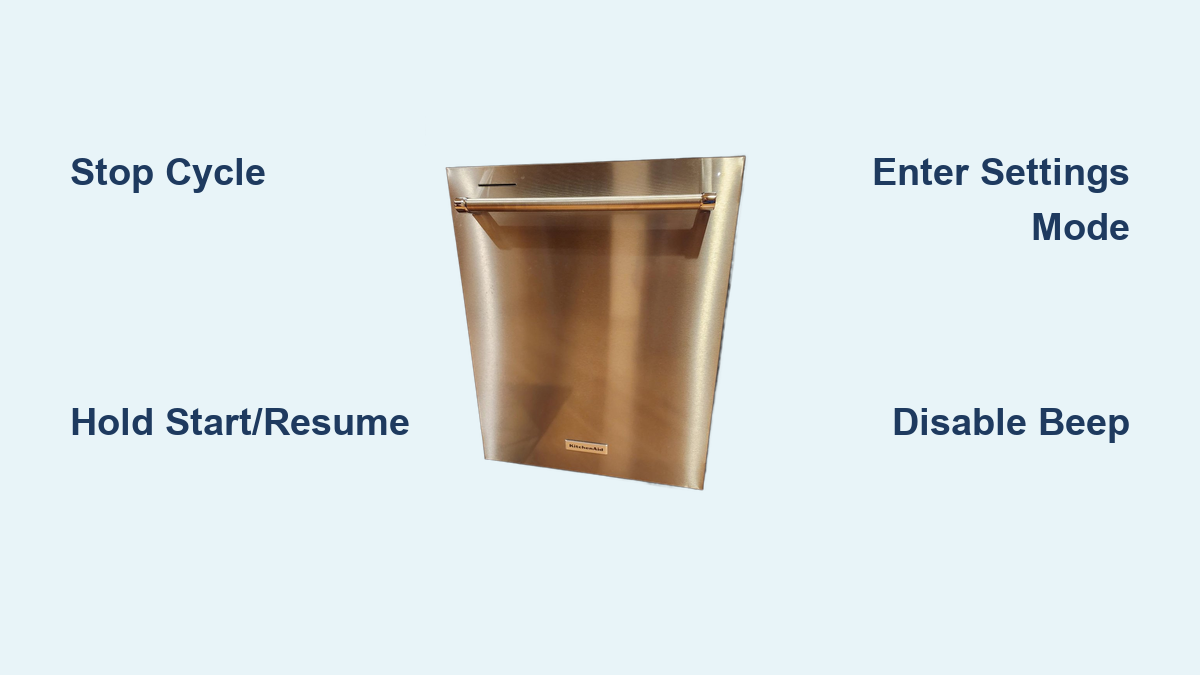
Is your KitchenAid dishwasher beeping loudly at the end of a cycle, disrupting quiet evenings or late-night routines? You’re not alone. Many users want to know how to turn off their KitchenAid dishwasher, either to stop an active cycle or silence the annoying beep permanently. The good news: whether you’re looking to cancel a wash cycle or disable the sound, it is possible with just a few button presses. This guide walks you through how to turn off a KitchenAid dishwasher, including stopping cycles, silencing beeps, and accessing hidden settings.
Stop an Active KitchenAid Dishwasher Cycle

When your KitchenAid dishwasher is running and you need to shut it down immediately, you can cancel the cycle quickly.
Press and Hold Start/Resume
Press and hold the Start/Resume button for 3 seconds. The display will clear, and the dishwasher will stop all operations. Once canceled, the unit enters standby mode and can be reopened safely after a short delay.
Wait before opening. After cancellation, wait 1 to 2 minutes for water to drain slightly and internal pressure to release before opening the door.
Use the Cancel Button
On some models, especially newer ones, press the Cancel button once to stop the cycle. The dishwasher will begin draining and then power down. If no Cancel button exists, use the Start/Resume hold method instead.
Always ensure the door is fully closed after canceling to allow proper shutdown. An open door may prevent complete deactivation.
Disable the Beep Sound Permanently
The end-of-cycle beep on KitchenAid dishwashers can be loud and disruptive, especially in open concept homes or during nighttime use. You can permanently disable this sound using the Customer Settings Menu.
Enter Settings Mode
Press and hold the Hi Temp button for 5 seconds. On display models, you will see a code like S1 appear. On non-display models, both the Hi Temp and Dry lights will turn on. Within 2 seconds, press the Start/Resume button to confirm entry into the settings menu. If you wait longer than 2 seconds, the system exits.
The 2-second window is strict. Practice slowly if needed. Timing improves with repetition.
Navigate to Sound Settings
Press the Cycle or Normal button repeatedly to scroll through settings. Look for S1 on display models, which indicates sound is on. On non-display models, the pots and pans light indicates sound status. Settings cycle in sequence: Sound, Rinse Aid, Interior Light, Kosher Mode, Factory Reset, back to Sound.
Turn Sound Off
Press the Cycle or Normal button to change the setting. On display models, change from S1 to S0. S0 means sound off. On non-display models, cycle until the pots and pans light turns off. Press Start/Resume to confirm and save.
No beep at startup, cycle change, or completion? You have done it successfully.
KitchenAid Dishwasher Model Specific Controls
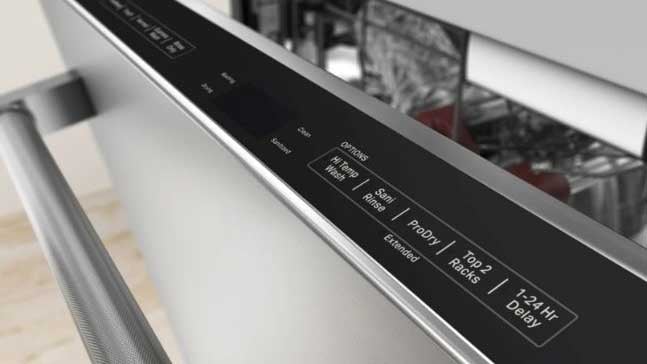
Not all KitchenAid dishwashers work the same way. Knowing your model type ensures you follow the correct steps.
Display Models
Display models feature digital screens showing codes like S1, L1, and A. These models are easier to navigate due to visual feedback. They offer full access to settings including sound, light, kosher mode, and reset. Examples include KDTE334GPS and KDFE204DWH.
To disable sound on display models, hold Hi Temp for 5 seconds until S1 appears. Press Start/Resume within 2 seconds. Scroll to S1 and change to S0. Press Start/Resume to save.
Non-Display Models
Non-display models have no screen and rely on light patterns only. Tough, Cookware, or Pots and Pans lights indicate settings. These models offer fewer customizable options.
To disable sound on non-display models, hold Hi Temp for 5 seconds until Hi Temp and Dry lights turn on. Press Start/Resume within 2 seconds. Press Cycle until the pots and pans light turns off. Press Start/Resume to confirm.
Find your model number on the inner edge of the door frame. Use it at kitchenaid.com for model-specific manuals.
Access Other Custom Settings
The same menu used to disable sound also lets you customize other features on your KitchenAid dishwasher.
Turn Off Interior Light
Navigate to Light in Tub setting. Set to L0 to disable internal lighting. This is helpful for reducing ambient light at night. Note that this feature is available on display models only. Most non-display units do not support this option.
Enable Kosher Mode
Kosher mode is designed for religious observance. It adds a pause between rinse and wash cycles. Activate by scrolling to K1, then press Start/Resume to toggle. This feature is optional and not required for standard operation.
Perform Factory Reset
Use factory reset when settings are corrupted or the control panel is not responding. Enter the settings menu as described above. Scroll to Factory Reset, which may show as RST. Press Start/Resume to confirm. All lights flash or the display shows RST briefly.
Warning: This erases all custom settings. You will need to re-disable sound and reconfigure preferences after a reset.
Troubleshoot Common Issues

Even with clear steps, things can go wrong. Here is how to fix the most frequent problems when trying to turn off your KitchenAid dishwasher.
Cannot Enter Settings Mode
Symptoms include nothing happening when holding Hi Temp. Hold the button for a full 5 seconds. Do not release early. Press Start/Resume immediately after lights appear, within 2 seconds. Try pressing both Hi Temp and Dry together if unresponsive.
Power reset option: Turn off power at the circuit breaker for 1 to 2 minutes, then restore and retry.
Changes Do Not Save
The cause is forgetting to confirm with Start/Resume. After changing the setting from S1 to S0, always press Start/Resume. Without confirmation, the dishwasher ignores the change. On display models, the code should update and remain visible after confirmation.
Sound Returns After Power Outage
The beep comes back after a blackout or surge because some models revert to factory defaults. Re-enter the settings menu and disable sound again. Consider labeling your settings, for example by taping a note inside the door, for quick reference.
Prevention tip: Use a surge protector to minimize unexpected resets.
Control Panel Unresponsive
Possible causes include the unit being locked, in diagnostic mode, or having a power supply issue. Run hot water at the sink first to ensure proper inlet temperature. Close the door firmly. Press Hi Temp and Dry together for 3 seconds to reset. Wait for lights to flash or a single beep.
If still unresponsive, disconnect power for 2 minutes, then restore.
Maintenance and Best Practices
Keep your dishwasher functioning smoothly and your settings intact with these simple habits.
Preserve Your Settings
Avoid unnecessary factory resets. Use surge protectors to prevent power-related reverts. Write down your preferred settings like S0 and L0 for easy reconfiguration.
Care for the Control Panel
Wipe with a damp cloth. Never use abrasive cleaners. Avoid excess moisture. Do not spray directly on controls. Dry after wiping to prevent residue buildup.
Nighttime Operation Tips
Disable both sound and interior light for silent, dark operation. Run cycles during off-peak hours to check utility rates. Use Quiet Pak or Heavy Wash modes if noise is a concern on some models.
Quick Reference: Turn Off Beep in 6 Steps
Need a fast fix? Follow this shortcut to turn off your KitchenAid dishwasher sound.
Hold Hi Temp for 5 seconds. Lights turn on or S1 appears. Press Start/Resume within 2 seconds. Press Cycle or Normal to scroll to Sound Level. Change to S0 on display models or turn off pots and pans light on non-display models. Press Start/Resume to save. Press Cancel or wait to exit.
Done. Your dishwasher now runs silently.
To stop a cycle: Press and hold Start/Resume for 3 seconds.
Frequently Asked Questions About Turning Off KitchenAid Dishwasher
How do I stop my KitchenAid dishwasher mid-cycle?
Press and hold the Start/Resume button for 3 seconds to cancel an active cycle. The display will clear, and the unit will shut down. Alternatively, press the Cancel button if your model has one.
Why is my KitchenAid dishwasher still beeping after following the steps?
Your changes may not have saved. After changing the setting from S1 to S0, you must press Start/Resume to confirm. Without confirmation, the dishwasher ignores the change. Repeat the process and confirm each selection.
Can I turn off just the end-of-cycle beep without disabling other sounds?
Yes. The Customer Settings Menu lets you disable the sound completely. Once set to S0, there will be no beeping at startup, cycle changes, or completion.
Do all KitchenAid dishwashers have the same sound disable process?
Most modern KitchenAid dishwashers from 2018 onward follow the same procedure. However, button labels may vary slightly between models. Always check your specific model number for exact instructions.
Will my sound settings reset after a power outage?
Some models revert to factory defaults after power loss. If the beep returns, simply re-enter the settings menu and disable sound again. Using a surge protector can help prevent this.
Where is my KitchenAid dishwasher model number located?
Check the inner edge of the door frame or the side panel. The model number is needed for model-specific manuals and support.
Key Takeaways for Turning Off Your KitchenAid Dishwasher
Whether you are canceling a cycle or silencing the beep, turning off your KitchenAid dishwasher fully or partially is simple once you know the correct sequence. The most important steps are pressing and holding Start/Resume for 3 seconds to stop an active cycle, and accessing the Customer Settings Menu by holding Hi Temp for 5 seconds to disable sound permanently.
For permanent sound control, remember the strict 2-second timing window after entering settings. Change S1 to S0 on display models or turn off the pots and pans light on non-display models. Always confirm each selection with Start/Resume to ensure changes save properly.
With model-specific guidance, troubleshooting help, and pro tips, you now have everything needed to take full control of your appliance. No more disruptive beeps, no confusion. Just quiet, efficient operation tailored to your lifestyle.