
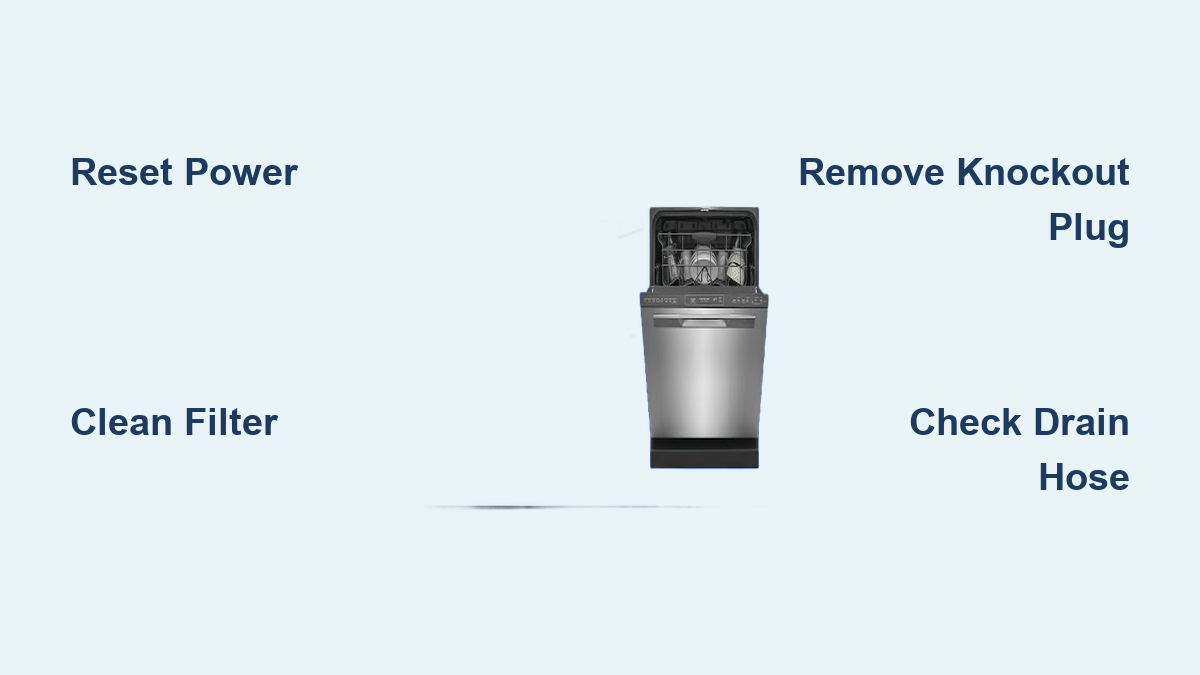
How to Fix i20 Error on Dishwasher
If your Frigidaire, Frigidaire Gallery, or compatible Electrolux dishwasher suddenly stops mid-cycle and displays the I20 error code, you are dealing with a drainage failure. This error appears when the control board detects that water failed to drain within two minutes of starting the drain cycle. In over 90% of cases, the I20 error is caused by simple mechanical blockages or installation oversights, not major electronic failure. This guide walks you through every proven fix, from basic filter cleaning to pressure switch troubleshooting, so you can restore your dishwasher without a service call.
Reset Dishwasher Before Diagnosing
Before performing any repairs, clear the current error and reset the system to ensure accurate testing. This step is essential for both safety and proper diagnostics.
Power Down and Reboot
Turn off power at the circuit breaker or unplug the unit completely. Wait at least 3 minutes, though 5 to 10 minutes is ideal for a full reset. Alternatively, press and hold the Cancel button until the cycle ends and the display resets. Reconnecting power allows the control board to retest all systems after repairs are complete. Always disconnect power before accessing internal components to avoid electrical shock.
Clean the Filter Assembly
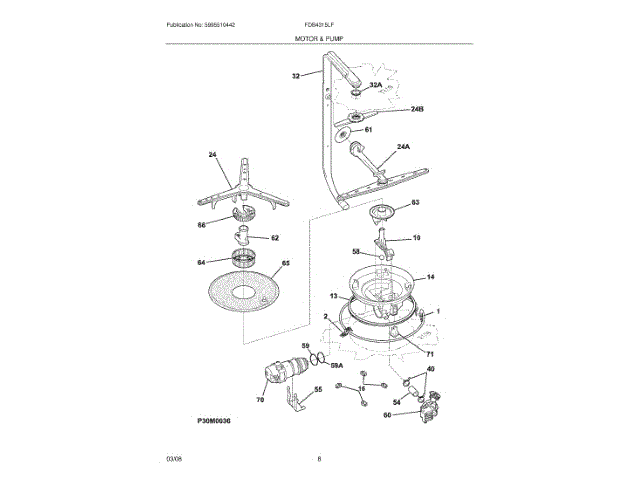
A clogged filter is one of the top causes of the I20 error. When debris blocks the filter, water cannot reach the sump, preventing proper drainage and triggering the error code.
Remove and Wash Filters
Pull out the lower rack to access the filter at the tub base. Locate the three-part filter system, which includes the coarse filter at the bottom, the fine mesh filter in the middle, and the glass trap at the top. Twist or lift the assembly out carefully, then rinse all parts under warm running water. Use a soft brush or toothbrush to scrub away grease, food, or mineral buildup. Inspect each part for cracks or warping, and replace if damaged. Reinstall the filter, ensuring it is fully seated and properly aligned. Clean the filter every 1 to 2 weeks, especially in hard water areas or high-use households.
Clear Debris from Sump Area
The sump, located under the lower spray arm, houses the drain pump inlet. Even small objects can block drainage and trigger the I20 code.
Inspect and Unblock Sump
With the filter removed, look into the circular sump area. Check for utensils, bottle caps, food clumps, or glass shards that may have fallen into the system. Use tweezers or needle-nose pliers to remove any obstructions. Verify that the chopper blade, if equipped, spins freely without resistance. Flush the area with water to clear any remaining particles. Never insert fingers into the sump; always use tools to avoid injury.
Check Garbage Disposal Knockout Plug
One of the most overlooked causes of I20 is a plastic knockout plug still sealed inside the garbage disposal dishwasher inlet. This step is critical if your dishwasher connects to a disposal.
Remove the Knockout Plug
Turn off power to the garbage disposal. Locate the small dishwasher inlet port on the side of the disposal. Insert a screwdriver or hammer handle into the opening and tap firmly to pop out the plastic plug. Retrieve the loose plug from inside the disposal. Run hot water through the disposal to flush any debris. This single step has resolved I20 errors instantly for thousands of users who missed this during installation.
Inspect Drain Hose for Kinks and Clogs
A restricted drain hose prevents water from exiting, leading directly to the I20 error. Proper hose routing is essential for reliable drainage.
Disconnect and Clean Hose
Pull the dishwasher out carefully to access the drain hose. Locate the drain hose, typically 5/8 inch to 7/8 inch in diameter. Disconnect it from both the dishwasher and the disposal or standpipe. Inspect the hose thoroughly for kinks or sharp bends, pinching against cabinet walls, or internal clogs. Flush the hose with hot water or use a plumber’s snake to clear stubborn blockages. Reconnect the hose securely when finished.
Install a High Loop
Route the hose up to at least 32 inches from the floor before descending to the drain. Secure it under the countertop with a clip to prevent sagging. A high loop prevents backflow and siphoning of sink water into the dishwasher, which can trick the pressure switch into detecting water and triggering I20. Run hot water at the sink before starting the dishwasher to clear any sink line blockage.
Clean Pressure Switch and Sensing System

When drainage is blocked, the pressure switch fails to reset, causing the control board to log I20. Debris in the sensing system can also cause false readings that trigger the error.
Access the Pressure Switch
Remove the lower front panel, which is secured by 2 to 3 screws at the bottom of the door. Locate the pressure switch near the base, typically with black electrical wires and a small rubber or plastic tube. Alternatively, access from inside by finding the removable screen on the rear wall, often marked with an arrow. Twist and remove to expose the D-shaped pressure port.
Clean the Chamber and Tube
Use a dry Q-tip, pipe cleaner, or small brush to clean the D-shaped opening, the chamber hole at the tub base, and the interior of the sensing tube. Wipe all components dry with a cloth and allow them to air dry completely before reassembly. For a more thorough cleaning, try the straw suction technique. Place a bowl of clean water beneath the pressure port, insert one end of a flexible drinking straw, and gently suck to draw water through the system. Repeat 3 to 5 times, then blow softly into the port to clear moisture. Reinstall the screen by aligning the arrow and twisting to lock. This user-tested method has fixed I20 errors in under 5 minutes without replacing any parts.
Test for Air Leaks in Sensing Tube
An air leak in the pressure sensing system can prevent accurate water level readings, causing the I20 error to persist even when drainage is working properly.
Inspect the Rubber Tube
Trace the small rubber or plastic tube from the pressure switch to the tub base. Look for cracks, disconnections, or brittle or soft spots along the entire length. Ensure both ends are securely attached to their respective ports. Replace the tube if any damage is found, as even a tiny leak disrupts air pressure transmission and triggers the error.
Replace Pressure Switch If Needed
If all cleaning steps fail, the pressure switch itself may be faulty, though this is rare and should only be considered after ruling out all blockages.
Signs of Failure
The pressure switch may need replacement if there is no continuity when tested with a multimeter, visible burn marks, cracks, or corrosion, or persistent I20 despite clean filter, hose, and sump. Order the correct part for your model, such as Frigidaire 154861401 or a model-specific equivalent. Disconnect power, remove the front or back panel to access the switch, and unplug the electrical connector while detaching the sensing tube. Unscrew or unclip the old switch and install the new unit. Reconnect all components, reassemble the panel, and test with a cycle. This repair takes 20 to 30 minutes for experienced users.
Prevent Future I20 Errors
Most I20 errors are preventable with routine care. Following a maintenance schedule keeps your dishwasher running efficiently and avoids recurrence.
I20 Prevention Checklist
Clean the filter assembly weekly to bi-weekly to prevent flow restriction. Inspect the sump monthly and remove debris early. Flush the drain hose every 3 to 6 months to prevent clogs and backups. Clean the pressure port annually or when the error appears, using dry tools only. Verify the high loop after moving the unit to prevent siphoning. Run a cleaning cycle monthly using dishwasher cleaner or 1 cup of vinegar. Use recommended detergent per cycle to avoid excess suds that interfere with pressure sensing. Run hot sink water before each cycle to clear the disposal line.
When to Call a Technician
Seek professional help if the I20 error returns after completing all cleaning steps, if no blockages are found but drainage still fails, if there are electrical issues like burn marks or tripped breakers, or if water leaks appear, which may indicate a pump seal failure. Contact Beacon Appliance Service or authorized Frigidaire repair for warranty-covered parts. Note that lack of maintenance, such as a clogged filter, may void warranty claims.
Final Test: Run a Cycle
After completing all repairs, ensure no standing water remains in the bottom pan. Reinstall the lower panel and filter, then restore power and water supply. Run a short cycle such as Rinse or Quick Wash. Watch for complete drainage, no error codes, and normal pump sounds without gurgling. Success is confirmed when the dishwasher drains fully and completes the cycle without displaying I20.
Key Takeaways for Fixing I20 Error on Dishwasher
The I20 error is almost always fixable without a technician through simple maintenance. Start by resetting the dishwasher, then clean the filter and sump, check the garbage disposal knockout plug, and inspect the drain hose while installing a proper high loop. The pressure switch cleaning methods, especially the straw technique, resolve the majority of persistent cases. Only consider replacing the pressure switch or calling a professional if all mechanical causes are ruled out and the error persists. With regular maintenance, including weekly filter cleaning, monthly sump inspection, and annual pressure port cleaning, you can prevent future I20 errors and extend your dishwasher’s lifespan significantly.
Frequently Asked Questions About I20 Error on Dishwasher
What does the I20 error code mean on a dishwasher?
The I20 error indicates that the dishwasher failed to drain water within the expected timeframe, typically two minutes after starting the drain cycle. The control board detects water through the pressure switch and logs this error when drainage is blocked or the sensing system malfunctions.
Can I fix the I20 error myself without calling a technician?
Yes, over 90% of I20 errors are resolved through DIY maintenance. The most common fixes include cleaning the filter, removing the garbage disposal knockout plug, clearing the drain hose, and cleaning the pressure switch sensing system. Most repairs take under 30 minutes with basic tools.
Why does the I20 error keep coming back?
Recurring I20 errors typically indicate that the underlying cause was not fully addressed. Common reasons include a partially cleaned filter, a missed knockout plug, an improperly routed drain hose without a high loop, or debris returning to the pressure switch chamber. Thoroughly repeat all cleaning steps and verify proper installation.
Is the I20 error covered under warranty?
Standard warranties typically cover the drain pump, pressure switch, and control board. However, damage due to lack of maintenance, such as a clogged filter or blocked drain, may void warranty claims. Regular maintenance helps preserve warranty coverage and extends appliance life.
How often should I clean my dishwasher to prevent I20 errors?
Clean the filter assembly every 1 to 2 weeks, inspect the sump monthly, flush the drain hose every 3 to 6 months, and clean the pressure switch port annually. Running a monthly cleaning cycle with vinegar or dishwasher cleaner helps maintain optimal performance and prevents drainage issues.





